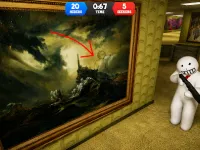
Build To Climb
Build To Climb turns construction into a thrilling ascent. Start with a small pile and stack blocks to build a towering skyscraper, reaching new themes as you climb. This arcade-style game challenges you to balance speed and precision while collecting coins. It is easy to pick up and hard to put down, offering a fresh take on the climbing genre.
Highlights
Gameplay focuses on acquiring blocks from a shop and stacking them high to ascend. You collect coins as you rise, unlocking new themes at greater heights. The controls are simple for both PC and mobile, with WASD or arrow keys for movement, right mouse for camera control, and spacebar to jump. On smartphones, use the left screen zone to move, pinch and swipe for the camera, and the up arrow to jump. The experience is designed to be addictive and is a top Arcade choice for quick sessions.
Quick Questions
What are the main controls in Build To Climb?
Use WASD or arrow keys to move your character, right mouse button to adjust the camera, and spacebar to jump. On a smartphone, the left screen zone moves you, pinch and swipe control the camera, and the up arrow makes you jump.
What is the main objective of the game?
The goal is to reach the clouds by stacking blocks to ascend. As you climb higher, you discover new themes and collect coins along the way.
How do I get more blocks to build higher?
You can quickly acquire blocks from the in-game shop. Use the coins you collect while climbing to purchase more blocks and stack them for a taller ascent.
What is the core gameplay mechanic?
The main mechanic is stacking blocks to ascend and collect coins. You balance building a tall structure with managing your climb to reach new heights and themes.
How It Works
Begin with a small pile and head to the shop to grab your first blocks. Stack them carefully to build upward, using your controls to position each piece. As you climb, collect coins to fund future purchases. Reach specific heights to unlock new visual themes, keeping the journey fresh and rewarding.
Helpful Advice
Stay calm and focus on steady stacking. Use the shop wisely to maintain a supply of blocks. Practice the controls on both desktop and mobile to master camera and jump timing for smoother ascents.
About this game
- Supported devices
- Desktop
- Genre
- Arcade
- Release date
- 05 March 2026
- Latest update
- 05 March 2026
- Rating
- 10.0 (1 votes)

Knockout - Push Penguins on Ice!

Break a Lucky Block and Steal Brainrot in Cave

Break a Tower: Obby

Geometry Jump Classic

Obby: Eat and Grow a Neck 3D +1 for Every Step

Obby Brainrot: Falling Tiles

Guess Real or AI? Photo Quiz

Friday Night Funkin' vs Sky

Brainrot +1 to Jump Power 3D

Avoid Waves - Rescue Memes!
Hide and Seek Online

Slap Aura

Break Brainrot Lucky Blocks! Obby Tycoon 3D

Deadly Rally

Bonkboy

Mega Water Brainrots Online

Shrink for Brainrot 3D! Obby Magnate Tycoon +1

Geometry Wave: Online Editor
Obby: The Strongest Swordsman

Moto Arena

Snow Sledding

Run from Lava for Brainrots

Lucky Blocks: Brainrot and Sammy
Run for Brainrots!