Choose between following a route and creating one
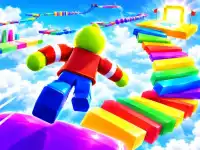
A useful starting choice is Roblox Craft Run. Its three-dimensional course uses platforms, bridges and maze-like sections. The challenge is reading the prepared route and moving across its gaps. Look beyond the character to the next surface you can land on. Before trying to cover a difficult section quickly, work out where the track turns and how much room the landing offers.
Roblox Draw to Escape Online gives you a different responsibility. You draw platforms or barriers, then use them while guiding the character through a timed level. Coins provide optional opportunities along the way, while stars can add coins on completion. A promising drawing still needs to work as a surface the character can actually use. Think about the transition between drawing and moving, especially when an object may disappear or explode.
Learn what a mistake tells you
On a prepared course, a fall can come from an unsuitable take-off point, an awkward approach or a misjudged landing. Pick one of those decisions to change on the next attempt. Repeating the entire section faster makes it difficult to see which part caused the problem. A short run that teaches you the spacing between two platforms can be more useful than reaching an unfamiliar obstacle by luck.
A drawn escape adds another question: was the route itself usable? Examine where a bridge rests and whether its end reaches a safe surface. If the shape works but the character misses it, adjust the movement. If the character has nowhere dependable to stand, revise the drawing first. Separating those problems helps you avoid replacing a good design because of a single mistimed jump.
Check the controls for the selected game
Roblox Craft Run's publisher lists mouse click or tap input. Roblox Draw to Escape Online lists drawing with the mouse, A and D for horizontal movement, and Space for jumping on a computer. Those instructions belong to those particular titles. Read the prompts in any other game before applying the same keys. A similar character design does not establish identical movement, camera controls or touch support.
Begin with enough clear space to test the main action. Notice whether an input changes direction, creates an object or makes the character jump. Keep the game's active area selected when using keyboard controls. If you switch from a mouse-led activity to a keyboard platformer, allow a short practice attempt before judging the difficulty. Choose a game whose displayed controls suit the device you are using.
Pick a manageable goal for the session
For a brief visit, concentrate on one obstacle or one drawing that solves a specific gap. For a longer session, compare two different kinds of route challenge. You might practise reading a fixed course first, then try building a crossing yourself. The useful comparison is how your decisions change, rather than whether both games have the same appearance. One rewards following the environment; the other lets you alter part of it.
The Crazy Games Roblox collection offers another selection to browse when you want more examples. Treat each destination as a separate browser game and check its own description. This page does not establish access to official Roblox servers, a shared Robux balance or transferred progress. Choose a card for the activity it actually presents, learn its opening instructions, and return to the collection when you want a different challenge.