Know the Puppet Master example before starting
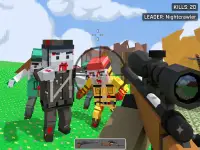
Puppet Master is a three-dimensional action clicker involving weapons and a ragdoll. Damage contributes to equipment unlocks, with knives, a machine gun and rockets among the described options. Its focus is the simulated physical response to an impact. That is a different subject from making puppets, presenting a show or following a character's story, even though the title can suggest several meanings.
The verified distributor listing marks this build as not mobile ready. Start with a desktop mouse and follow the current screen's prompts. Do not assume keyboard movement or number-key equipment shortcuts without seeing them in the loaded game. The first useful interaction is one you can connect clearly with the selected tool and the target's visible response.
Compare an interaction deliberately
Begin with an available tool and one clear action. Watch whether the ragdoll was already moving before the impact and how its state changes afterward. Existing motion matters when interpreting another response. A different outcome does not automatically establish an undocumented bonus, because the starting position and earlier impacts may also have changed.
When another tool becomes available, decide what you want to compare. Keep the input sequence simple enough that you can identify the action you are investigating. You can enjoy a chaotic result without claiming that every part was planned. If your goal is understanding one interaction, a clearer starting state and a short sequence provide a more useful reference than many overlapping actions.
Read progression from the actual interface
Inspect the requirement displayed for the next equipment unlock. The verified description establishes damage-based progress, but does not establish one fixed cost, a universal unlock order or a numerical reward for every impact. Use the information currently shown by the game instead of following thresholds borrowed from a different version.
A short session can focus on examining a tool you already have or working towards an available unlock. These are different goals. Repeated input may contribute to progression while making an individual physical response harder to isolate. Choose the purpose first, then judge whether the way you are interacting helps that purpose. This makes the session more understandable without requiring a perfect prediction of the simulated movement.
Inspect the rest of the collection separately
Before leaving a session, keep one short observation about the interaction you tried. Name the selected tool, whether the target was already moving and the response you wanted to examine. Those details give a later comparison a clear starting point. They are more useful than assuming that a larger-looking movement must prove a stronger tool or an undisclosed reward.
Visible titles such as Parking Master School, Vehicle Masters and Dragon Merge Master 3D are separate browsing choices. Their names do not establish that they share Puppet Master's ragdoll mechanics or content. Open the individual page to check the actual task. A parking title, a merging title and an impact-based clicker can demand very different observations before input.
The Puppet Master and Crash Core comparison develops the distinction between examining an impact and steering through a destruction route. For a broader selection, visit the completed Action games category. Choose the subject you want, read the controls and keep one clear observation in mind. The collection is useful as a way to find an activity; it does not replace the instructions or content description of that selected game.