Use a verified block-building page as a starting point
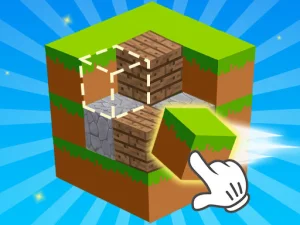
Minecraft Unblocked Online is a representative page for learning movement, viewpoint control, selection, and block placement when those actions are shown by the game. Begin in an open area. Move a short distance, turn the camera, choose one available item, place a test block, and remove it only if the interface provides a removal control.
Choose a page by its actual objective
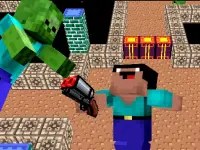
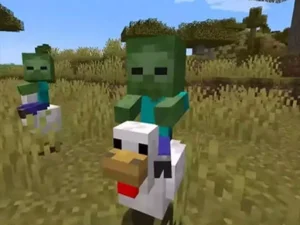
A collection card may lead to a construction sandbox, an obstacle course, an exploration page, or another block-themed game. Read the title and description before opening it, then confirm the objective inside the play frame. Do not assume multiplayer, survival, enemies, crafting recipes, upgrades, or a day-and-night cycle unless that specific game shows them.
Start with a compact project
A platform, wall, shelter, staircase, or path is enough to learn an unfamiliar interface. Mark the footprint at ground level and walk around it before adding height. This reveals whether the size, entrance, and proportions fit the available space.
Build one layer at a time. Complete a row or perimeter, check gaps and corners, then continue upward. A regular sequence reduces placement errors and makes it easier to resume after changing the camera angle.
Keep navigation useful
Plan entrances, paths, stairs, and interior space before adding decoration. Walk through the structure and check that available routes work with the current movement controls. Fix narrow turns or blocked openings while the build is still simple.
Use a limited material palette when several blocks are available. One main material can define large surfaces, a second can mark borders or supports, and an accent can highlight an entrance. If the palette is small, create contrast with shape and spacing instead.
Improve camera and placement accuracy
Many mistakes begin with an unclear target. Stop moving, adjust the viewpoint, confirm the block face or empty position, and then place. Approach edges from an angle that shows both the existing structure and the intended location. On touch devices, separate looking gestures from action buttons according to the visible interface.
If an error repeats, change the method rather than repairing the same mistake again. Move closer, slow the camera, build a reference row, or work from a stable corner. When block removal is provided, target carefully so the correction does not damage neighbouring work.
Use the longer guide for a structured build
The Minecraft browser building guide provides a seven-step practice project, footprint planning, layer-by-layer construction, material advice, route testing, recovery methods, and browser troubleshooting. Apply only the advice that fits the controls and tools visible in the game you selected.
What the tag label does not guarantee
The collection name does not prove official affiliation or identical features across every card. The word "unblocked" on an individual page is a search label, not a guarantee of access. A school or workplace can enforce its own network policy, and a particular device or browser may not support every game.
Check performance before beginning a long build. Let the frame finish loading, focus it before using keyboard controls, and close demanding background tabs if movement becomes uneven. On mobile, keep a stable orientation and make sure browser scrolling is not being mistaken for a camera gesture. If the first load is incomplete, refresh once and repeat the control test in an empty area.
Choose a page by the experience it actually offers, test its controls before committing to a large plan, and build something small enough to inspect. A clear footprint, functional route, consistent layers, and careful placement are useful across many block-style games, even when their objectives differ.