Plan a route through the Mineblocks board
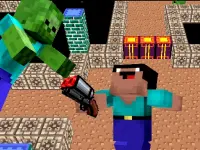
Mineblocks opens with a level-selection screen. In the first level, the interface shows four coloured gems, three star indicators, lives and a key counter. The introductory control graphic presents directional gestures and arrow keys. Inspect that graphic and test the response before committing to a longer sequence. Watch where the character finishes a movement so you can relate your next instruction to the actual position.
Begin by locating the required gems and the walls around them. Ask which direction could put the character on a useful approach to a target. The board's visible geometry is part of the challenge, so a route is more specific than a general intention to collect everything. If a movement leaves an awkward position, identify the earlier decision that produced it instead of repeating the same inputs more urgently.
Read depth in Obby Minecraft Ultimate
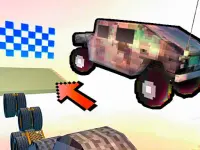
Obby Minecraft Ultimate offers 35 parkour levels. Its desktop controls use WASD for movement, the mouse for the camera and Space to jump. Mobile controls provide movement and jump buttons on screen. The provider describes reaching the finish, jumping platforms, avoiding spikes and unlocking additional characters through level completion. These are route and movement objectives rather than a promise of an open construction world.
Position the camera so that the take-off area and intended landing are both understandable. Choose a part of the next platform that gives you a workable continuation. If a jump fails, distinguish a poor view from an unsuitable take-off point or a movement correction made too late. Those explanations suggest different changes, even though each failure may first look like a simple missed jump.
Compare the information available before acting
A 2D board makes the arrangement of visible targets and walls central to your plan. A 3D route adds a camera decision: two surfaces that seem close from one view may be harder to judge when depth is unclear. In either format, describe the position you want to reach before committing. The more clearly you can name the intended result, the more useful the actual result becomes as feedback.
Use a short section as a reference when learning the controls. Change one decision while keeping the earlier reliable steps familiar. In Mineblocks, that could mean testing a different approach to a gem. In the parkour game, it could mean improving the view before repeating a jump. These examples are ways to investigate the current layout, not fixed solutions that apply to every level.
Select a game that fits the session
Choose Mineblocks when the visible cave board and collection targets appeal to you. Choose the parkour game when you want camera-based movement and platform landings. The collection also contains other block-themed cards, so read each selected page before importing an expectation from either example. Similar artwork does not establish shared controls, identical level rules or the same progression choices.
The Minecraft browser game comparison explains these distinctions in more detail. On a return visit, keep one practical observation: the wall that changed your route, the landing that was hard to see or the input response you were testing. A clear question gives the next attempt a purpose and helps you decide whether to stay with the same game or try a different format from the collection.