Read a three-dimensional parkour route
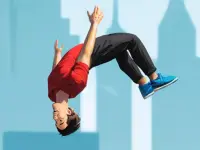
Obby Minecraft Ultimate provides a block-styled parkour example with thirty-five levels. Platforms and spikes make the route a question of movement and landing, rather than a task of building a Minecraft world. The name and visual style should not lead you to expect crafting systems that the actual game has not introduced.
On desktop, WASD controls movement, the mouse adjusts the camera and Space jumps. The mobile version supplies on-screen controls. Start by turning the view until the platform edges and the next destination are easy to recognise. If you cannot tell where a landing surface begins, a change of view is more useful than repeatedly attempting the same uncertain jump.
Choose a landing area before you move. A broad centre gives you a different margin from a narrow edge beside spikes. Then consider the approach: the position and direction of your character before leaving the platform affect what you need to do during the crossing. Read the route as connected movements rather than isolated presses of the jump control.
Separate a camera problem from a movement problem
After missing a platform, ask what was unclear. If the intended destination was partly hidden, improve the view first. If it was visible but you left from an awkward edge, change the starting position. If you reached the surface and continued into danger, examine the movement after landing. Those observations suggest different corrections, so treating every miss as “jump earlier” is unlikely to help.
Use a consistent approach while learning a particular crossing. That lets you compare the change you intended with the outcome you saw. Once you understand the movement, you can experiment with another route or a smaller margin. The immediate aim is a repeatable landing, not a spectacular attempt that succeeds once without explaining why.
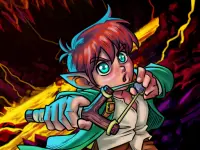
New character options are part of the game's presentation, but the route remains something you must read. Do not infer a special jumping ability from an appearance unless the current game explicitly describes it. Likewise, rely on visible level information rather than assuming that progress or a selected character will carry into another title on this tag page.
Choose the kind of obstacle you want next
The Adventure category offers another route when you want movement to be part of a wider journey. Check whether the chosen game emphasises reaching an exit, exploring a space or another objective. Jumping can support those tasks without being their only rule, so read the starting instructions before importing parkour habits.
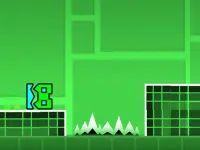
For quick movement-focused choices, browse the Arcade category. A side-view jump and a three-dimensional platform crossing may share a button while asking you to judge space differently. Look at how the camera presents distance and whether the environment keeps moving before deciding which sort of challenge fits your session.
Keep a useful observation from each attempt
Before retrying, name one thing you will change: the view, the starting position, the direction or the action after landing. A specific adjustment makes failure informative and success easier to repeat. When browsing the other jumping cards, carry that habit with you while learning their individual controls. The collection supplies different routes; your first task in each is to understand what a safe landing actually requires.
Also leave yourself room to read the next platform after a landing. Immediately jumping again can hide whether the previous movement was controlled or merely fortunate. A brief check of the character, camera and next destination helps you preserve a successful section of the route.