




















Rider Online Pro
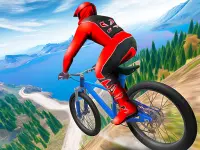
Rider Online Pro is a free browser racing game that lets you jump on futuristic bikes, perform wild aerial stunts, and collect diamonds to unlock new rides. It starts with bikes revving up and throws you into a colorful world of obstacles and tricks. You can learn the basics in seconds, but mastering the fast-paced action takes practice and good timing.
Highlights
This hypercasual game mixes straight-line racing with flashy stunts and twists. You race on motorcycles through dynamic tracks, aiming for high scores and smooth landings. The funny game vibe comes from its weird, addictive physics and the challenge of balancing speed and precision. It fits the racing games genre by focusing on skill and quick reflexes. As a free running game, it requires no downloads and works in any browser, making it easy to jump in and play.
Quick Questions
Can I play Rider Online Pro on my phone?
Yes, Rider Online Pro works in mobile browsers, so you can play it anywhere without installing anything.
How do I control the bike and perform stunts?
Use the left mouse button to accelerate. Hold it midair to spin and earn points, diamonds, and unlock bikes.
Are there multiplayer options in Rider Online Pro?
No, the game is single-player focused. Your goal is to beat your own high scores and collect diamonds.
Does collecting diamonds cost anything or require real money?
No, all upgrades are free. You unlock bikes by earning points and diamonds through gameplay.
How It Works
Start by clicking the left mouse button to accelerate your bike. As you jump, hold the button to perform pirouettes and tricks. Land cleanly to keep your speed up and avoid crashing. Collect diamonds along the track to unlock new bikes. The game runs in your browser with no downloads needed, so you can begin playing instantly. Practice your timing to master the aerial stunts and reach higher scores.
Helpful Advice
Focus on smooth landings to maintain speed. Use the midair spins to rack up points and diamonds. If you experience lag, check your internet connection. Start with simple tracks to build confidence before tackling complex twists and turns.
About this game
- Supported devices
- Desktop
- Genre
- Racing
- Release date
- 26 January 2023
- Rating
- No ratings yet
Drive Zone

slow roads io
Euro Truck Driving Simulator

Dinosaur Shifting Run

3D Racing Typing Game

Career Run Ramp Game

Night Racing

Street Car Race 3D

Highway Traffic Racerr
Brainrot Jet Ski Racing

Drive Mad 2

City Auto Rickshaw Game

Scooter Touchgrind Tricks 3D

Crazy Traffick Racing 2026

Horse Kart Runner Game

Off road motocross

Drive Pro 3D

Doodle Car Race

Mad Day Special

Ultimate Bike Stunt Racing

Drive.IO
Gem Runner
Riders Downhill Racing

Extreme Car Driving Parking


