




















Count And Compare
Count And Compare is a free browser game that lets you click through colorful shapes and count items fast. It mixes quick learning with a chill vibe, so you can jump in and play without pressure. The simple mechanics keep things light, and the focus is on spotting and counting objects in different images.
Highlights
This game fits perfectly into the puzzle games category by challenging your recognition skills. You identify and count items across various templates, which feels like a modern take on classic arcade pattern matching. The controls use mouse clicks or touch gestures, making it easy to play on any device. It is a html5 game that runs in your browser with no downloads, and it is designed to be mobile friendly for quick sessions. The visuals are simple but colorful, and the goal is to submit your count and move to the next task, which helps build speed and accuracy.
Quick Questions
How do I start playing Count And Compare?
Pick a template and click or tap on the items to count them. Submit your count to finish the task and move to the next one.
What makes this a good puzzle games option for kids?
It uses visual recognition and quick counting, which supports learning in a fun way. The simple mechanics are easy for kids to grasp.
Can I play Count And Compare on my phone?
Yes, the game works on mobile devices with touch controls. Just tap the items to count them, just like on a computer.
Why do I need to count tiny icons in some templates?
Some templates have small icons to test your observation skills. Playing more helps you get faster and avoid frustration.
How It Works
Begin by selecting a template from the available options. Then, click or tap on each item you need to count. The game tracks your selections, and when you are done, submit your count to complete the task. The interface is straightforward, so you can focus on spotting and counting without fighting the controls. Each template offers a different visual challenge, keeping the experience fresh.
Helpful Advice
Take a moment to scan the whole image before clicking. Use quick taps on mobile for faster counting, and practice on easier templates first to build confidence. The game rewards sharp eyes and steady hands, so stay relaxed and enjoy the process.
About this game
- Supported devices
- Desktop
- Genre
- Puzzle
- Release date
- 16 October 2020
- Rating
- No ratings yet

Numblocks Hunter

Addition Brain Teaser
Colors Puzzle
Find Insect Names
Linking Puzzles

Missing Num Bubbles

Camp Hidden Objects

Family Travelling Jigsaw
Happy Birthday With Family
Super Word Search Game

Findergarten Cartoons
Guess Animal Names

Catch That Cat

Quizzing Measurement

Kids Photo Differences

Insects Photo Differences

Memory Booster Animals

Quick Color Tap
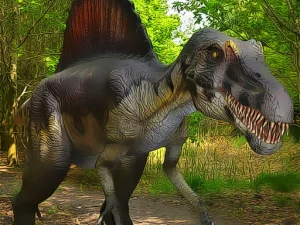
Dinosaurs Jigsaw

Like Nastya
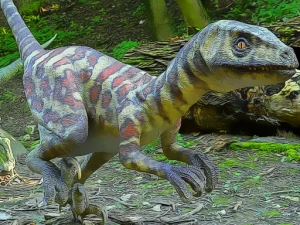
Smallest Dinosaurs Jigsaw

Unicorn School Kids 2022

Talking Tom Jigsaw Puzzle

Fortnite Memory


