Choose between tapping a target and guiding a route
Color Cup Filling asks you to fill cups with colours that match a displayed pattern. Read the pattern before tapping. Find the colour or part of the arrangement that needs to change, then observe what the selected control does. If the result is unexpected, distinguish a tap on the wrong control from an incorrect reading of the target. You can then change the right part of the decision instead of repeating several fast actions.
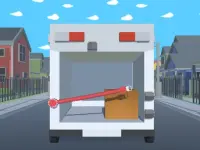
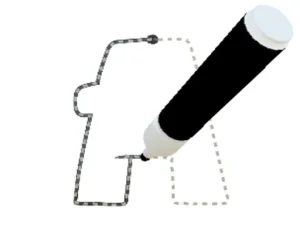
Home Rush The Fish Fight uses a different kind of interaction. Guide a human character by dragging and holding, choose a fish of the matching colour, and plan a return to the starting point. Look at both parts of the trip before making a long movement. Reaching the fish is only useful if you can navigate the route back without crossing something that stops you.
Keep useful parts of the game visible
On a small screen, your hand can cover a control, a hazard or the target you are trying to compare. Look at where the interface puts the most important reference. In a colour puzzle, keep the target pattern visible. In a route game, make sure you can see the next bend or obstacle while you drag. A game may respond correctly to your input while your hand makes its response difficult to interpret.
Let the loaded game determine whether it works better in portrait or landscape. A large-looking card does not establish how the playable area will fit on your device. If you rotate the screen, wait for the layout to settle and check whether you can still reach the controls comfortably. Do this before an attempt in which you want to compare the result with a previous run.
Test one basic action after switching devices
If you move from mouse to touch, use the first interaction to establish how the response feels. A click may translate naturally to a tap in one game. In another, you may need to hold contact and guide movement. When an action fails, first check whether the game received the input. Only then decide whether your route or interpretation of the objective was wrong.
Compare attempts with the same setup when learning a difficult section. Switching devices, changing orientation and altering the route at the same time makes it hard to tell which change helped. Start with a simple action that has clear visual feedback, then use the same approach near the section you are trying to learn.
Browse by task instead of by screen size alone
The collection also shows cards with running, sorting, driving and puzzle themes. Use those labels to narrow your choice, then read the exact objective and inputs offered by the game. If you want a puzzle with a visible target and time to inspect each response, visit the Puzzle category and check touch support on the game you pick. For a route game, see whether your grip leaves the necessary part of the play area unobstructed. A comfortable setup is one that lets you see the result of the action you intended.
Before a replay, check that a notification or browser overlay has not covered the area you need to tap.