Three different ways to use a click
Brainrot Clicker Game is the direct tapping option. Clicking or tapping its meme characters earns points and triggers their animations. It suits a session where you want an immediate response to each input. Watch the counter and the changes on screen to understand what your clicks are producing before deciding how quickly to play.
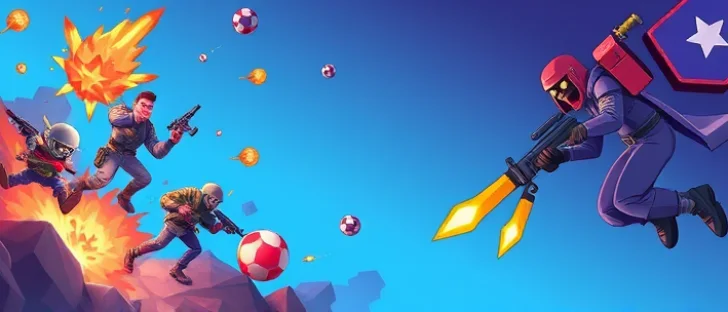
FlappyCat Crazy Steampunk uses clicks to keep a jetpack-powered cat in the air while passing obstacles. Here, the interval between clicks matters. Repeated input at one fixed speed can leave the character too high or too low for the next gap. Look ahead, make a small adjustment and give yourself room to approach the opening.
Thief Puzzle Online asks you to move the thief's hand toward an object. On a computer you use the mouse; on a touchscreen you drag the hand. This is a route-planning problem rather than a test of clicking speed. Inspect the scene, consider where the hand needs to travel and change the route when an attempt fails.
Check the objective before starting
A simple control does not make the goals interchangeable. A point counter encourages you to compare progress, an obstacle course asks you to preserve a safe position, and a puzzle asks for the right interaction. Read the opening instructions and test a short input. Do not assume that holding the mouse, tapping repeatedly or pressing a keyboard key will have the same effect in another game.
When practicing, change one decision at a time. In a timing game, adjust when you click. In a puzzle, rethink the path or selected object. In a tapping game, watch how the displayed result responds. This makes the next attempt easier to evaluate than repeating an action without checking why it failed.
Choose your next challenge
For more games about finding a solution, explore the puzzle collection. If you prefer reacting to movement and improving through short attempts, browse the arcade games. Use the cards here to compare these different kinds of interaction and pick the pace you want for this session.
Read progression and timing as separate systems
A counter-based activity asks what each input adds to the displayed result. A timing activity asks when that input helps the current position. A route puzzle asks which connection advances the objective. These are different reasons to act, so choose a game whose decision matches the session you want rather than judging every clicker by how rapidly you can click.
Where a selected game offers purchases or unlocks, read the actual requirement and effect before choosing. A visible option is not evidence of automatic offline progress, unlimited currency or a shared upgrade formula. Keep the current information in view and relate the choice to a task you have actually encountered.
Give a repeat attempt a specific correction
For an airborne timing challenge, notice whether the previous sequence left the character too high or too low for the next opening. For a route puzzle, check the destination and the first obstruction. For a tapping task, watch the counter and response before changing the rhythm. Naming the result you want to change gives the next attempt a useful focus.
Start a new title with a short input test even when its interface looks familiar. The same click can select, launch or activate something depending on the game. Understanding that response is the practical link across this mixed collection, while each individual objective determines what you should do with it.