Make the next possession useful in Rim Rebels
Rim Rebels 3v3 uses a full basketball court with two hoops, four short quarters and a running clock. A jump ball starts each quarter. The team also has one Super Shot per quarter, so an available special action belongs within the current possession rather than replacing ordinary movement, passing and shot selection.
The game offers CPU play at three difficulties, online Quick Match and a room-code option for playing with friends. Online availability depends on the session and other participants. A room button does not guarantee an immediate opponent, and the CPU option is a separate way to learn the court when you want a predictable starting format.
Desktop movement uses WASD or the arrows. Hold J or Space to hang for a shot, then release to shoot. K passes, a held K fakes, Shift uses turbo and E changes the controlled player. Defensive actions use the listed K and J interactions, with a near-hoop turbo-and-pass combination for an alley-oop. Touch and gamepad options are also provided. Learn the basic pass and shot before trying to combine every action.
Look at teammates before committing
A shot opportunity includes the player with the ball and the space around the basket. Before forcing an attempt, notice whether a teammate is in a more useful position. A pass has value when it changes the next decision for the team, not simply because it moves the ball to a different character.
The running clock gives possession a frame, but hurried inputs can make it harder to read the court. Choose whether you are creating a shot, moving the defence or preserving a workable route. If a possession ends poorly, identify the decision that first reduced the team's options instead of judging only the final release.
Coordinate around a different kind of objective
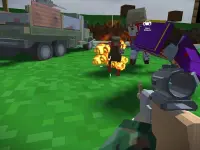
Frontline Conquest uses flags, classes, vehicles, revives and destructible cover on Port Valor. Online and bot options give the battle different session contexts. Read the match information, choose the flag you intend to influence and consider how your role helps the side reach or hold it.
Useful coordination is concrete. A position can protect an approach, support another player's movement or make a revive possible. Chasing the nearest opponent may be less useful if it leaves the objective exposed. Check the route and available cover before committing to an exchange that takes you away from the task you meant to support.
The controls and equipment are separate from the basketball game, so establish them again from the current instructions. Familiar movement keys do not make team roles or scoring conditions transferable. In both examples, the shared habit is looking beyond your own character long enough to understand what the next action contributes.
Choose a session that suits the people playing
The 2 Player category is another route when playing together is the main goal. Check whether the chosen game uses a shared keyboard, a room code or another connection method; those formats have different setup needs. Agree on the mode and immediate objective first. Then judge a useful session by the decisions you can coordinate, as well as by the final score.
For a session with friends, agree on the connection method and a simple first goal before the action starts. Finding the same room is setup; coordinating a possession or a flag approach is play. Keeping those steps distinct prevents a connection delay from being confused with a team decision.