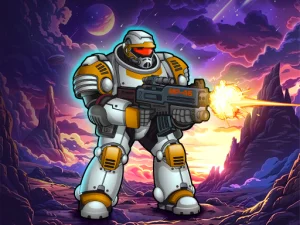
Learn the team situation in FPS Block Strike Dust2
FPS Block Strike Dust2 uses a block-style arena inspired by Dust2. Choose Terrorists or Counter-Terrorists, equip a weapon and work with the selected side against the opposing team. The blocky artwork does not remove the need to inspect a route before crossing it. At a new position, notice which approach you can watch and which direction remains outside your view.
WASD or the arrows move, and the mouse handles aiming and shooting. B opens the market. The supplier lists E for planting the bomb, which applies when the current team and situation allow that objective. An input appearing in the controls does not mean every player can use the associated action at every moment. Follow the loaded match prompts before planning around it.
Make another push answer a specific problem
If the same approach fails repeatedly, compare its timing and angle instead of repeating the rush faster. A teammate's position can help you decide which route needs attention. Keep the developing objective in view rather than running toward every visible target. Learn movement and weapon response before crossing several exposed approaches at once; that makes it easier to recognise where the attempt first became difficult.
Market choices also need a purpose. Read the equipment currently available and relate it to the kind of encounter you are entering. The verified description establishes a team battle and a listed bomb input without specifying every possible match arrangement. Use the current game's instructions to settle details instead of transferring the full rulebook of a different Dust2-themed shooter.
Capture flags with a squad in Frontline Conquest
Frontline Conquest centres on Port Valor, flag capture, classes and combined-arms combat. Tanks and other vehicles support the push, while team revives and destructible cover affect positions. Online play and battles against bots are listed. Starting against bots provides a way to learn the controls before considering an online battle, without assuming that a particular number of human opponents will be available.
Its computer controls include WASD movement, mouse aiming, left-click fire, right-click sights, R reload, Shift sprint, Space jump and E for vehicles or interactions. Number keys select weapons and gadgets, with G for a grenade. The provider marks this build as not mobile-ready. Choose a visible flag and inspect cover on the approach. Destructible protection can change, so reassess a position that worked earlier in the fight.
Judge equipment by the team objective
Entering a vehicle is an opportunity to support a flag push, not a captured flag by itself. Consider how the route and squad positions make that vehicle useful. Matches offer credits and unlocks, with some optional video-based choices. Read the current class and equipment options before spending; a later unlock does not automatically suit every situation. Revives also give teammates a reason to remain aware of one another.
Explore the Multiplayer category for other shared-play formats. In this war selection, identify the objective first, then choose a route and equipment that serve it. An observed change in cover, a teammate watching an approach or a valid interaction prompt provides a concrete reason for an action that a military theme alone cannot supply.