What to expect from this collection
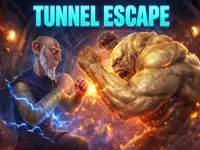
Games in the tunnel theme may use rotating gaps, central blockers, side walls, narrow gates or alternating sequences. Some emphasize survival distance, while others may organize progress into levels. Read the current game's page for its exact objective and controls. Similar visual themes do not guarantee identical input or scoring.
Choose a game for your device
Keyboard play suits short taps and quick releases. Touch play works best when the finger does not cover the center of the tunnel. A trackpad can be comfortable when extra fingers do not trigger scrolling. Select a game whose on-screen prompts are clear on the device you are using, then keep that input method for several runs.
Look ahead of your hands
Staring at the nearest edge makes every obstacle feel sudden. Focus slightly deeper in the tunnel and identify the next safe sector. Use peripheral vision for the immediate barrier. Earlier information creates more reaction time without requiring frantic movement.
Use short steering inputs
Move toward the opening, release and reassess. Long holds can avoid one barrier and place the player in front of the next. After a side pass, return toward a neutral line when a broad route permits it. Neutral does not always mean the exact visual center; it means a position that preserves several directions.
Read rotation
A rotating opening must be judged by where it will be when you arrive. Watch the direction, choose a meeting point and make one measured correction. Chasing the gap with repeated large inputs often causes oversteering. Two small steps are usually easier to recover from.
Classify collisions
A visual error means the gap was found late or its movement was misunderstood. A control error means the correct route was known but the input was too long, too small or released late. Name the cause after a run and change one factor. Immediate random restarts repeat the same weakness.
Manage browser performance
Fast visual games require stable frame delivery. If motion stutters, reload once, close heavy tabs and keep the page focused. Avoid resizing the window during a practice sequence. When sound feels delayed, use the visible opening as the decisive cue.
Do not install unknown “speed” extensions or downloaded fixes. Start with a current browser, stable connection and fewer competing tabs. Once motion is smooth, recalibrate with several broad movements before attempting narrow gates.
A useful practice order
Spend two runs learning input distance, two runs looking beyond the nearest obstacle, two runs returning toward neutral, and two runs reading rotation. Use the final runs to combine the method. Record the cause of the last collision in one phrase so the next session has a specific goal.
For a complete practice plan, use the internal Tunnel Rush strategy guide. It covers pattern types, recovery, device calibration and browser checks. Return to this collection to compare the current games by the real objectives shown on their pages.
How to select the next tunnel game
Check whether the card describes endless survival, staged levels or another objective. Open the page and confirm that the controls are comfortable on your device before judging difficulty. Give the game several calibration runs: one for movement distance, one for release timing and one for looking ahead. A title that feels too sensitive may simply need shorter inputs. If performance remains uneven after ordinary browser checks, choose another current card rather than installing unknown tools. The collection provides options, but the best game is the one that runs smoothly and explains its rules clearly.