Read a course before making the next jump
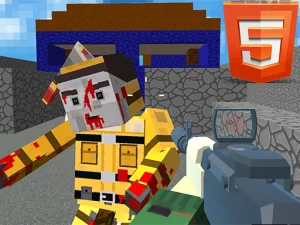
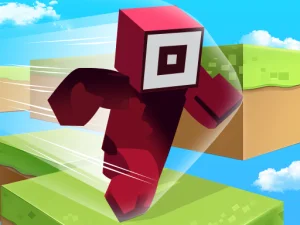
Roblox Craft Run places a blocky character on a three-dimensional platform course with bridges and maze-like routes. The useful information is the track ahead and the landing space available after a movement. Repeating an input without checking the next section can send the character towards a gap that needs a different approach.
The publisher lists mouse click or tap input. Use the opening instructions to establish what the current action does before treating the game like another familiar platformer. Watch the next place the character can occupy as well as the platform underfoot. A bridge, turn or narrow landing can change the room you have for the following decision.
If the same jump causes trouble, test a different starting position or approach rather than merely tapping faster. Change one part of the movement so that the result is easier to compare. You are learning where the course leads and how your action meets it, not assuming every section repeats the opening rhythm.
Coordinate the forest route
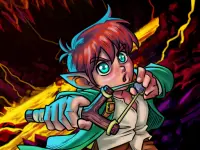
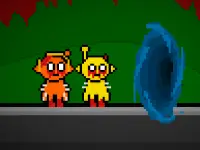
Cute Bros 2 Player gives two siblings a cooperative adventure. Green coins, each character's special key and the necessary chests belong to the route towards the floating portal. One player reaching the end of a section does not establish that both characters' tasks have been completed.
On a computer, the two players use WASD and the arrow keys, while the publisher also lists touch controls. Check the current layout and practise movement together before a section that requires careful timing. Agree which key or chest remains relevant so that going back has a clear purpose instead of becoming an unexplained detour.
Communication works best when it supplies information. Point out a missed item, a gap or a task the other character still needs. Asking a partner simply to move faster does not explain what would make the route easier. Allow an awkward movement to finish before adding pressure to the next step.
Distinguish a route from a shared objective
Roblox Craft Run makes the immediate course and your input the main relationship to learn. Cute Bros adds another person's position and separate task requirements. Both involve reading where to land, but only the cooperative example asks you to coordinate those decisions with the sibling's progress towards keys and chests.
Choose a practice goal that fits that difference. For the solo course, work on recognising one landing earlier. For the shared adventure, make sure both players know the next unfinished objective before moving. A slower but understood sequence can be more useful than arriving quickly without the item the route still requires.
Let the selected game define the format
Before changing games, separate the habit you learned from its specific command. Looking at the next landing can transfer between courses, while the button and movement response need to be learned again. That makes a comparison useful without pretending that two block-styled adventures handle the same way.
Block-style graphics do not prove that a game is an official release of another platform, that it has online multiplayer or that every title uses the same movement controls. Read the actual page and game prompts. Here the useful comparison comes from verified objectives, rather than assigning features from the appearance alone.
The adventure category offers other journeys after these examples. Within the Pixel collection, choose whether you want individual route practice or shared coordination. Keep the next landing visible, understand the input and check which task still needs to be completed before treating a section as finished.