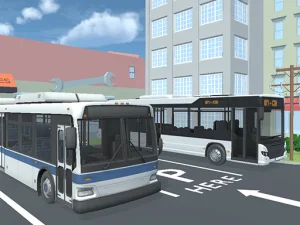
Position a working vehicle for its next operation
Heavy Crane Simulator Online combines driving a crane truck with container-transport missions. Its three-dimensional setting and on-screen tips make the next operation important to identify. Driving into a working area is one stage; placing the truck so that the crane can perform its task is another.
The distributor lists WASD for moving the vehicle, arrow keys for operating the crane, and Q and E for changing the view. These control groups serve different parts of the mission. Test a single input and observe what responds before combining several actions or assuming that every direction key steers the truck.
This version is marked as not mobile ready. A keyboard setup is therefore the supported reference for the listed inputs. If a movement does not occur, check that the game has focus and that you are using the intended control group before interpreting the result as an obstacle or mission restriction.
Read the approach before entering a tight area
Look at the working position and the space around it while the vehicle still has room to change direction. Decide where the truck needs to face and where its rear will be as the approach develops. A destination can look close while the current orientation still makes the next operation awkward.
Break an uncertain manoeuvre into smaller movements. Make an adjustment, inspect the result and continue only when the next direction is clear. This is a practical way to learn the relationship between the input and the vehicle; it does not assume that the game supplies a particular parking camera, sensor or automatic alignment feature.
Use the available view changes when the relationship to the container is difficult to judge. Choose a view because it answers a positioning question, such as whether the truck is beside the intended working area. A clearer perspective can prevent unnecessary corrections made from an angle that hides the important space.
Distinguish arrival from mission completion
After positioning, reread the current tip. The next step may concern the crane rather than another driving movement. Moving the whole vehicle again can undo a useful position if the task actually needs an operation from the arrow-key control group.
The game includes level missions and skins to unlock. Watch the mission's response after an operation instead of assuming that a container looking close to its destination proves success. If progress stops, identify the requirement still outstanding before repeating the same movement.
When an approach goes badly, note the point where you ran out of useful space. The cause may lie earlier than the final correction: entering at an unsuitable angle can make every later movement more difficult. On the next attempt, preserve the clear opening and change that earlier approach.
Choose a vehicle task at the right pace
The completed Driving category offers a broader set of vehicle objectives, while the 3D category provides other spatial challenges. Stay with parking when you want position and clearance to be central to your decisions. Check each selected game's mission and input prompts before expecting identical handling, camera choices or completion rules.
When using a different view, re-identify the front of the truck and the direction you intend to move before pressing a key. A changed perspective can make a familiar correction look reversed, even though the actual vehicle orientation has not changed.