Handle a developing wave
Frontline Strike places you against enemy squads in a three-dimensional setting. Riflemen can change position, crouch and use grenades; heavy troopers take more damage, while marksmen threaten from farther away. Those enemy differences give you a reason to inspect the approaching group before deciding which threat deserves attention first.
Its computer controls use WASD and mouse aiming, with a click to fire, R to reload and G for a grenade. Shift sprints, and the numbered keys, Q or mouse wheel select weapons. Mobile play supplies movement, aiming and labelled action controls. Learn an ordinary movement and reload before trying to deal with several unfamiliar actions during a pressured wave.
The Armory offers damage, magazine and reload improvements for earned credits. Select an upgrade according to an actual difficulty. Running empty during an encounter raises a different question from having trouble damaging a target. Notice the problem first so that the equipment choice has a purpose you can evaluate on another attempt.
Give the squad a useful position
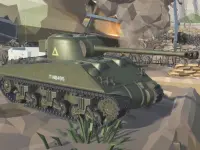
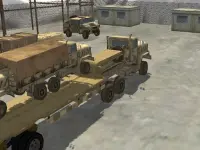
Frontline Conquest builds a different military session around the flags of Port Valor. Classes, vehicles, revives and destructible cover contribute to the fight, and the game lists both online play and bot battles. Capturing ground asks you to consider why a position helps the squad as well as whether you can win the next isolated exchange.
Before moving towards a flag, inspect the route and the protection it offers now. Cover can be destroyed, so a barrier remembered from an earlier moment needs another look. Decide where you intend to arrive and how the selected class or equipment supports that approach. Reaching a vehicle can be useful, but the team objective still needs to guide what happens afterward.
This version is listed for computer play. Its controls include WASD, mouse aiming, left and right click, R, sprinting, jumping, equipment keys, grenades and E for interaction or entering a vehicle. Use bot play to learn those relationships if you want preparation before online opponents. The device and mode choices of this game should not be inferred from a different collection member.
Choose the information you need to watch
For waves, focus on how the current threats affect the space you can occupy. For flags, add the direction of the objective and the position of teammates. Both games use aiming, yet they give your next shot different context. Pick the context you want to practise rather than judging the entire collection by a weapon screenshot.
A useful first-session goal is to connect one movement to one purpose. You might reposition before a wave crowds the area or choose an approach that supports a flag. After the attempt, ask whether the destination helped and whether the route was sensible. Keeping those two questions separate makes the next adjustment clearer.
Keep the current game's rules in view
Military imagery does not guarantee identical weapons, teammate behaviour, map layouts or device support. Read each game's own prompts before transferring a habit. A single-player survival situation and an online squad battle can punish the same rushed movement for different reasons. Understanding the objective gives your equipment choices a practical direction.
The wider action category offers other immediate challenges when you want a different setting. In this army collection, start with the task that interests you, learn the actual controls and choose a position that serves that task. A purposeful movement is a more dependable foundation than trying to use every available tool at once.