Follow a visible colour pattern
Color Cup Filling asks you to paint cups to match displayed patterns. Mouse clicks or taps provide the listed interaction. Begin by comparing the requested pattern with the cup you are working on. The reference tells you what the result should look like; an attractive arrangement of your own is a different goal.
Look at one part of the pattern at a time, then inspect the effect of your input before continuing. Colour recognition and input accuracy are separate questions. If the wrong area changes, first check where the touch landed. If the intended area changed but the pattern is still wrong, compare the selected colour and the reference again.
The instructions do not require you to invent a timer, dragging gesture or undo system. Use what the current screen actually offers. On a smaller display, take a moment to distinguish the reference from the interactive cup. That simple check can prevent a misplaced tap from being mistaken for an unexplained game rule.
Use a tap for a different kind of action
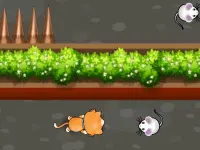
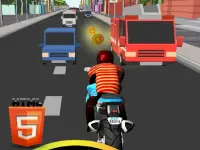
Tap Tap Run uses mouse clicks or taps for movement actions that can involve jumping or changing direction. Cliffs and the current route make the timing important. The same physical touch that selects a colour in the cup game now has a movement consequence, so give the first input time to show what it changes.
Read the present situation before tapping again. A change of direction is not the same as a jump, even when a compact control scheme makes both feel immediate. Follow the loaded game's prompts and watch where the character is going. Rapid repeated touches can hide the relationship between the action you intended and the movement that actually happened.
The game lists missions and character unlocks. Treat those as goals within this title rather than progress shared with every Android-labelled card. If you return after a break, check the current level or mission and the available controls before trying to reproduce a remembered sequence on a different route.
Make the device setup part of the first attempt
Check that the game has finished loading and that you are interacting with its play area. A navigation button around the game is not a game control. If the layout changes after rotating the phone or resizing the view, rebuild your reference before making a precise selection or judging a timing error.
The Puzzle category offers another route when you prefer deliberate visual tasks. Read each selected game's device information and current instructions rather than assuming that a category or tag overrides them. Some titles have dedicated touch controls; others rely on an interaction that needs a different setup.
Choose by the action you want
A mobile session can be a few careful pattern decisions or a series of movement attempts. Pick the kind of attention that suits the moment. In Color Cup Filling, compare the result with the reference. In Tap Tap Run, compare input timing with the route. The Android label helps you browse, while the chosen game's own screen supplies the evidence for how to play it comfortably.
Comfortable input matters more than the label when choosing between these examples. A pattern task benefits from a clear view of the reference, while a movement task needs an unobstructed view of the route. If either is difficult to see, address the layout before evaluating your play.