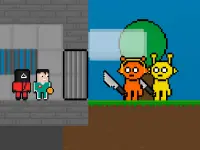
Choose a safe browser page
Check the domain, game title, visible game area and on-screen start or control prompt. Let the page load before clicking. A real game page should not require an unknown browser extension, proxy application, copied command or changed security setting. If a shared computer or network blocks games, respect that policy and use a permitted personal device and connection.
Advertisements can appear around free browser games, but they should not be confused with the game controls. Return to the verified game area if an unrelated page opens. Do not enter personal details just to begin a casual round unless the actual page clearly explains why an account is necessary.
Differences between the games
Some titles in this theme emphasize Red Light, Green Light-style movement. Others may use bridge choices, action sequences or several short challenges. Timing games reward fast release and visual attention. Choice games reward memory and patience. Action games may demand more continuous movement. The best selection depends on whether you want reflex practice, route decisions or variety.
Start with a control check
Click or tap inside the game area so the browser gives it focus. Test one input during a safe opening moment. If the page scrolls or the control does nothing, refocus the game and read its displayed instructions. Keyboard, touch and trackpad input can feel different, so keep one method for several attempts.
Timing that can be practiced
Use the first run to measure stopping response. Make short movement pulses and observe how far the character travels after release. Watch the game's own signal, not the movement of other characters. Leave extra margin near the final approach, where one greedy input often ruins an otherwise controlled run.
After a failure, classify it as late release, early start, excessive hold, wrong path choice or technical stutter. Fix only that cause on the next attempt. This turns retries into useful practice rather than a sequence of guesses.
Technical troubleshooting
If the game remains blank, reload the page once and allow time for initialization. Close demanding video or game tabs, keep the browser current and confirm that content blocking is not hiding the frame. If animation is uneven, solve the performance issue before judging your timing. Do not download alleged boosters or cheats.
Use the collection responsibly
Browse the current cards, verify the game page and choose a title with a clear objective. Respect device and network ownership. The goal is a safe browser session with understandable controls, not defeating restrictions. When the technical baseline is stable, use short pulses, deliberate choices and a brief review after every loss.
The internal safe Unblocked Squid Game guide expands this process with page checks, timing advice, bridge decisions and device-specific tips. It stays focused on legitimate browser play and does not recommend risky tools.
A quick page-quality checklist
Before committing to a game, verify five things: the URL belongs to the intended site, the title matches the selected card, the playable frame becomes visible, the controls are explained, and the first safe input responds normally. If one item fails, return to the tag and choose another verified page instead of following a chain of redirects. Keep personal data out of casual game prompts, do not weaken browser protections, and never treat “unblocked” as permission to ignore the owner's rules. These checks keep the collection useful on personal and permitted devices.