Follow a container-transport mission through its stages
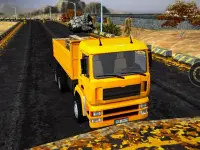
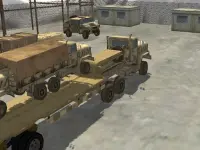
Heavy Crane Simulator Online provides a concrete example: drive a crane truck and perform container-transport missions in a three-dimensional setting. The cargames.com build supplies on-screen tips and tasks for its levels. Those instructions help distinguish travel, positioning and crane operation instead of treating the entire mission as ordinary steering.
Use WASD to move the vehicle. The arrow keys operate the crane, while Q and E change views. Learn one control group at a time and watch which part of the machine responds. If the next instruction concerns lifting or moving the crane, pressing a truck movement key may change the wrong part of the situation.
The supplier marks this build as not mobile ready. Use the supported keyboard mapping when choosing a setup and read the game's own current prompts. A different truck game's touch controls or a familiar simulation shortcut do not establish an equivalent action in this version.
Make the working position serve the load
Before bringing the truck into the working area, inspect how the vehicle and container relate to each other. Leave room for the full truck and choose an approach that makes the intended operation understandable. Merely reaching the nearest point is not always helpful if it leaves the mechanism awkwardly placed.
Change view when it resolves an uncertainty about that relationship. You might need to understand the vehicle's alignment beside the load or the space available around it. Use what becomes visible to choose the next adjustment rather than cycling through views without a particular question.
Once the position looks useful, pause the driving sequence and reread the task. Decide whether the next action concerns the truck, the crane or a change of view. Separating these stages prevents a successful approach from being disturbed by an input intended for a different mechanism.
Use mission feedback to locate an incomplete step
Each level supplies a mission, and skins provide an additional unlock goal. The useful completion signal is the game's response to the required operation. A load looking near a target is evidence about position, but it is not by itself proof that the task has accepted the delivery.
If a mission stalls, review the latest instruction and compare it with the last action. Did you move the intended part of the machine? Did the selected view hide a remaining gap? Try a small, relevant correction and observe the response before repeating an entire sequence that may already be partly successful.
For a practical first session, aim to understand one complete chain from approach to operation. On a later attempt, improve the stage that required the most uncertainty or unnecessary correction. This gives repeated missions a clear learning target without assuming a particular scoring formula or hidden efficiency bonus.
Browse beyond a single working vehicle
The completed Driving category broadens the vehicle choices, and the 3D category offers other tasks involving viewpoint and space. Return to the truck collection when you want a substantial vehicle or transport-themed job, and check each card's actual controls and mission before carrying over the crane example's layout.
Before leaving a working position, check whether the current operation has been acknowledged. This gives the next driving stage a clear starting point and prevents unnecessary repositioning while a crane action or remaining mission instruction still needs attention.