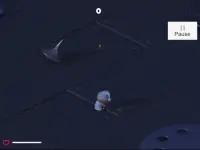
See what changes when you move
On your first attempt, find the game's control prompts and try one short movement. Then release the movement key and observe the scene. Look for the difference in pace between those two moments. That change is easier to understand from a brief experiment than from several inputs at once. Repeat it somewhere you can clearly see the same part of the scene after moving. You will get a sense of when the game is giving you a moment to observe.
The slower pace is part of play. If you need to step away from your device, look for a pause option in the game instead of relying on the movement mechanic. It is also worth checking how the camera responds separately from movement. Learning the difference between changing where you look and changing where your character stands makes the opening sequence easier to follow.
Read the current level before repeating it
The game includes hostage-rescue situations. Watch for any instructions or markers that identify what the current level expects. When several figures are visible at once, the stage can be hard to read in motion. Use a slower moment to distinguish the objective from the rest of the scene. If a prompt changes or disappears, give yourself time to see what the game expects next before going back to the same inputs.
If a level restarts, remember the last change you saw before the reset. For example, you may have missed a prompt that appeared as soon as you moved. Watch for that detail on the next attempt. When your aim is to learn the game, a clear idea of what triggered a change is useful even if you are still working through the first level. You can use that knowledge as the next room or scene becomes more complicated.
Know what the other cards are offering
The tag shows the named game alongside other action titles. A card with SWAT in its name can be a separate game with its own controls, pacing, and objectives. Check the full title and the first on-screen instructions before expecting the same time effect. Likewise, the numbers in front of or after a title may identify a different entry or version. The exact card is the simplest starting point for anyone who arrived looking for Time Shooter 3 specifically.
If you are browsing for a change of pace, try the Arcade collection. Look for a card whose opening task fits the session you want. Some arcade games ask you to react continuously, while others give you an opportunity to think between inputs. If you enjoyed the feeling of noticing a change and then testing what caused it, look for a game with feedback you can read as clearly.
Check the controls on the device you plan to use
The browser hosts the game, and the control instructions appear inside its player. Start there when checking keyboard, mouse, or touch input. Try a small movement and a camera adjustment as soon as the first playable scene loads. If an input feels unresponsive, check whether the player has focus and whether the current screen is asking you to start or continue. On a smaller screen, make sure you can read the level prompts comfortably. Once you can recognize when the scene speeds up and slows down, you are ready to see how that change shapes the next level.