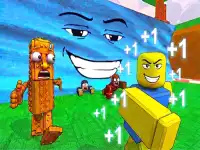
Start with the time and attention available
If you want immediate action, look for a game built around a repeated input and an approaching hazard. If you prefer to study a layout, choose a puzzle where each move changes the available space. Both can fit a casual visit, but they create different kinds of pressure. Pick an activity you can follow comfortably instead of opening several games before learning any of them.
Free browser access describes how you start playing; it does not make every title identical in its menus, advertising or saved progress. Read what appears in the selected game. There is no need to assume that one game's account requirements, optional rewards or input method apply to the entire collection. The practical starting point is always the rules shown for that particular title.
Chop and dodge in Wood Whacker
Wood Whacker is a lumberjack arcade game about chopping a tree while avoiding branches. The publisher lists mouse click or tap input. Its appeal comes from making repeated actions while continuing to notice what is approaching, rather than treating each tap as an isolated move.
Use an early run to learn the relationship between a chop and the next branch. Keep your attention on the space that will become dangerous, not just the action you are performing now. If you repeatedly lose at a similar point, slow your decisions enough to identify the missed obstruction. Improving one observation can be more useful than increasing the number of inputs.
Clear a route in Super Sliding Puzzle
Super Sliding Puzzle offers a contrasting task. You move blocks so that the red block can reach the designated position at the bottom. Pieces cannot pass through one another, which makes empty space a resource you must arrange. The puzzle is about opening a route, rather than matching every block to a colour or completing a picture.
Trace the red block's intended path before moving a piece. Identify which block obstructs it, then ask where that block could go. Sometimes a move away from the goal is useful because it creates room for a later move. Keep track of the reason for a temporary detour, so that you do not slide pieces back and forth without changing the situation.
Recognise what a successful attempt requires
The difference between these examples is useful when browsing the remaining cards. Wood Whacker asks you to keep reading a changing scene while acting. Super Sliding Puzzle asks you to transform a board into a position that permits progress. A player who likes one may still enjoy the other, but the route to improvement is different.
Before a second attempt, describe the condition you are trying to achieve. That could be staying clear of a branch or freeing a particular lane. A clear target helps you notice whether your next decision actually contributes to the objective. It also prevents optional effects or a rising score from distracting you from the rule that ends the attempt.
Make browser play comfortable
Try the actual controls on your device before settling into a longer session. A tap-based activity and a precise block drag can feel different on the same screen. Check that you can see the relevant play area while touching or moving the pointer. If the layout feels crowded, use an available larger view rather than guessing where a piece will go.
Return to the collection when you want a different pace. Choose another puzzle if planning a route was satisfying, or another arcade challenge if you enjoyed reacting to changing obstacles. Let the specific activity guide your next choice. That makes this broad selection useful without pretending that every game has the same rules or rewards.