Start with Mad GunZ Online Game
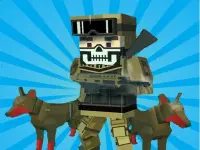
Mad GunZ Online Game combines blocky characters with keyboard-and-mouse action. The verified opening sequence goes through a Guest screen to a menu with Battle and Server List. Battle leads to character setup, where Health, Speed, Regeneration and Noise appear as separate attribute bars. Compare the complete profile before selecting a character; one long bar does not explain every possible outcome.
Use those attributes to make a deliberate comparison. Decide whether you want to examine movement or try a contrasting character profile, then keep the rest of your practice task similar. The displayed labels are useful information, but they do not supply exact formulas or promise that a particular choice always wins. Observe the current game rather than importing rules from another title with a similar name.
Learn the controls in manageable groups
The verified instruction panel lists W, A, S and D for movement, Space for jumping, C for crouching and Shift for running. F interacts and G throws an item. Mouse input also forms part of the layout. Learn a short movement sequence first, then add one action. This makes it easier to recognise whether an unexpected result came from your position, your timing or the key you chose.
Read the current prompt before using an action. An interaction key does not mean every object responds, and remembering a throw key does not establish which item is available in the present situation. If nothing happens, check the active screen and your position before pressing several unrelated controls. A clear test produces more useful feedback than a rapid sequence you cannot reconstruct afterwards.
Understand the mixed collection
Mad Truck Challenge Special, Drive Mad 2, Mad Day Special and Mad Car Arena are among the other visible names. They broaden the collection beyond a single character-action game. Their presence is a browsing opportunity, not evidence that they share Mad GunZ's character screen, equipment or menus. Consult each game's own page when choosing a different vehicle or action experience.
If your preference is specifically for shooting games, the Shooting collection gives you another route to explore. Compare the actual objectives and input requirements of individual entries. A game centred on aiming can feel different from one that asks you to coordinate movement and several action keys. Choose the type of decision you want to practise rather than assuming every card provides the same pace.
Make a short session useful
Before changing games, note which control caused difficulty and which screen you had reached. That distinction prevents a menu-selection issue from becoming a mistaken conclusion about movement. When you return, you can resume with a specific question instead of relearning the entire opening sequence.
Pick a small objective you can observe: reach character setup, compare all four bars or complete a controlled movement sequence. These are personal practice goals, not promised achievements or special training modes. After an attempt, identify one detail to change. Keeping other choices stable helps you tell whether the adjustment improved your control.
The Mad GunZ character-and-controls guide expands that approach with advice for reading menus, separating movement from viewing and reviewing an attempt. Use it for the exact browser build described here. Then return to this collection when you want another activity, checking the next title's identity and instructions before carrying over assumptions about modes, devices or multiplayer availability.