Decide whether you are partners or rivals
Cooperative play gives both people a reason to discuss the route and watch for a missed objective. Competitive play gives each player a separate reason to move quickly and judge an opponent's choices. Neither format is automatically better for beginners. Choose cooperation if you want to talk through a problem, or a contest if you prefer a clear comparison between two attempts.
The collection also displays games with multiplayer in their names, including Minesims Roleplay Multiplayer and Obby Millionaire Multiplayer. Do not assume that every card uses the same shared keyboard setup. Check whether a title offers local play, an online mode or a particular player selection screen. The name of this tag is a browsing aid, while each game's instructions determine how the session works.
Complete a forest adventure in Cute Bros
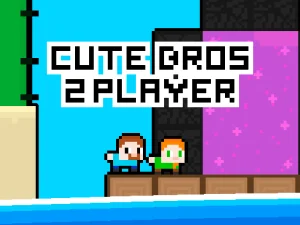
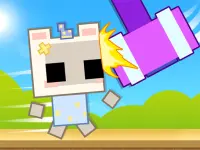
In Cute Bros 2 Player, two siblings gather green coins and each needs a special key. Chests and a floating portal are part of the journey through the forest. The published computer controls use WASD and the arrow keys, giving each player a separate part of the keyboard.
Before moving on, compare what the two characters still need. One person arriving near the exit does not tell you whether the shared task is complete. A short conversation about a remaining key or an unopened chest can save repeated exploration. Give each other space to see the next jump, and pause at a safe position when one player is still working out the route.
Race for deliveries in MCraft TNT
MCraft TNT 2 Player Game is a contest between red and blue. Players collect flying TNT and bring it to a chest; the first to collect twenty wins. Red uses WASD and blue uses the arrow keys. Here, collecting an item and returning it are both relevant to your route.
Think about the whole trip instead of chasing whichever item is nearest your character. A promising pickup can be awkward if it leaves you far from the delivery point. Watch the available route back and keep your movements purposeful. This is a different kind of attention from the shared search in Cute Bros: you are judging your own opportunities while another player pursues theirs.
Set up the controls together
On a shared keyboard, place your hands before the round starts and try a few movements without competing. Make sure both people can reach their assigned keys comfortably. A mistaken key press is easier to diagnose during this short check than halfway through a close contest. If a game has touch controls, inspect its own layout rather than expecting two independent sets of controls to appear automatically.
Keep the screen where both players can see it. Discuss whether you want to swap sides between rounds, especially if one keyboard position feels unfamiliar. Agreeing on a simple format makes the result easier to enjoy: one practice round followed by a contest, or a cooperative attempt in which both people can stop to explain a problem.
Improve the session without turning it into an argument
When something goes wrong, describe the event rather than blaming the other player. Mention the jump that needed more room, the key that remained behind or the delivery route you misread. Specific observations give both people something useful to try next.
For repeated rounds, change one thing at a time. You might choose a different route, communicate earlier or practise an awkward movement before restarting. The strongest reason to return to this collection is the interaction between players: a shared plan can make a cooperative level clearer, while a fair setup makes a competitive game more satisfying.