Complete a guided project one step at a time
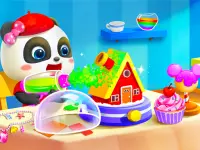
Baby Panda Kids Crafts DIY presents projects with materials and on-screen prompts. Choose a project and see which object the current step needs. Several items can appear together, so look for the shape, colour, or outline shown in the prompt before dragging. Once the object reaches its place, watch what changes. A new highlight or a movement in the work area can tell you when you are ready for the next step.
Focus on the part of the picture you are changing. A large work area can make it tempting to pick up whatever looks interesting first. Follow one action through to its result instead. If the game does not accept the item, check whether it needs to go to a smaller area inside the outline. Try a simple drag while keeping the target visible. On a touch screen, a good starting point can be near the edge where your finger covers less of the project.
When you repeat a craft, notice the part of the sequence that gives the finished object its shape. You can follow that step earlier on the next attempt and leave the decorative choices for later. If you play alongside a child, ask them to choose which material goes next and watch the result together. A single finished object makes a sensible end to a short session, even if there are many more projects in the menu.
Lay out a small build in a block world
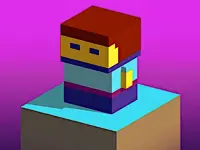
World of Blocks 3D gives you a sandbox where you can explore and build with blocks. Start with a patch of ground you can recognise. Give a small build a simple outline before adding height. A low wall or the boundaries of one room are enough to learn what happens when you place a block next to an existing one. Walk around the outline to check where an opening will go.
Choose a shape you can inspect from more than one side. If something looks uneven from the front, move to the other side and check which block is responsible. Adjust one part before extending the rest. A short test section can teach you how a corner joins or how gravelly ground changes a straight line. Use the result as a pattern if you want part of the build to repeat.
When you want to use more than one material, begin with a small detail. Try a band near the edge or a different block around an opening. Step back and check whether the change is visible at the distance you will normally use to view the build. If it disappears, enlarge that detail before adding more of it across a wall. A modest building that looks clear from outside can be easier to extend than a large shape you have not had a chance to inspect.
Choose how much guidance you want
Pick the craft project when you want the scene to show you which piece goes next. Choose the block world when deciding what to build is part of the fun. You can find more scenes to explore in the Adventure category.
Before you start, decide whether you want to finish a small object or leave a larger project at a point you can recognise. If you plan to return later, check whether the game offers a way to continue. A clear outline or a finished first step makes it easier to see how much you accomplished in the time you had.