




















Mad Gunz Online: The Craziest Pixel Shooter for Your Browser
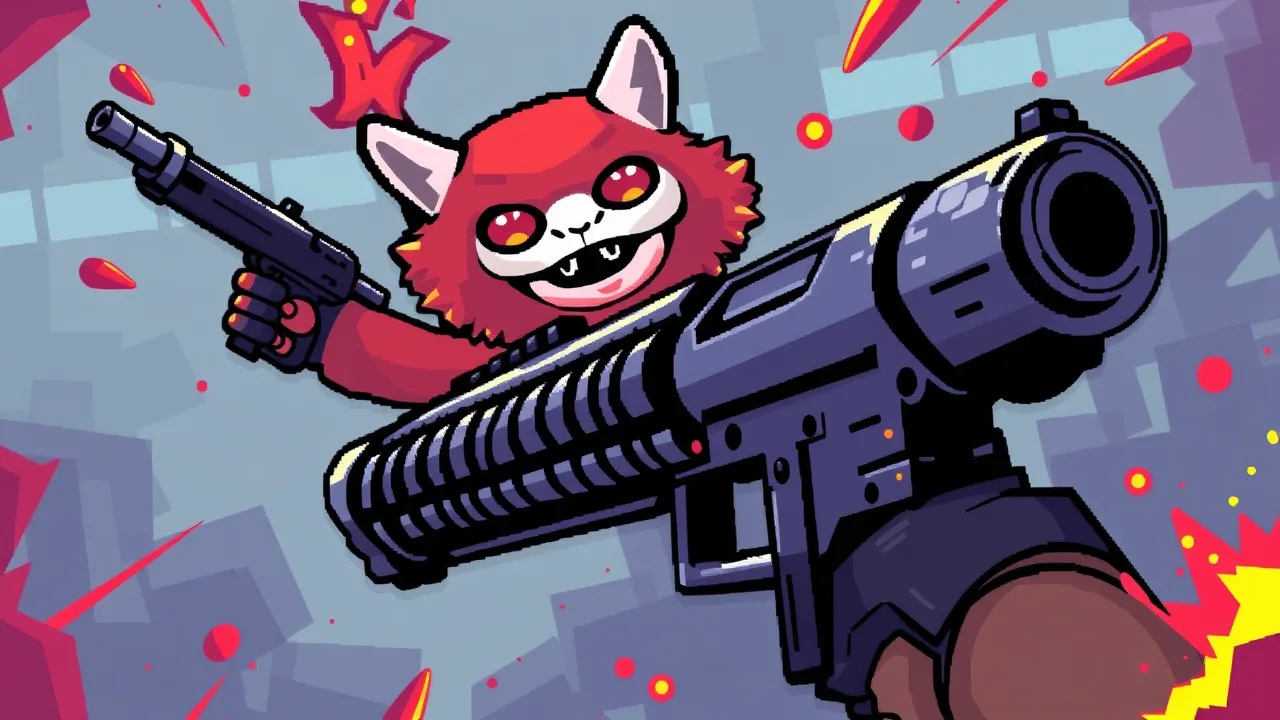
If you are tired of the same old gritty military simulators and want something that feels like a fever dream in the best way possible, you have to check out Mad Gunz. This game throws logic out the window and replaces it with a pixelated world where you might fight off enemies using a handbag with a cat in it or a literal lollipop. It captures that frantic, "anything goes" energy that fans of the genre love. You can jump straight into the chaos by visiting the Mad Gunz Online Game portal, which lets you bypass heavy downloads and get right to the shooting. According to the Mad Gunz Wiki, the game leans heavily into its "weird is better" philosophy, offering a unique blend of battle royale and team deathmatch modes that feel surprisingly polished for such a wacky premise.
Mad Gunz Unblocked Free On Any Device
One of the biggest hurdles for casual gamers is finding a way to play during breaks without worrying about hardware limitations or restrictive firewalls. Mad Gunz solves this by being remarkably lightweight. Whether you are using a dusty old laptop or a modern tablet, the game scales beautifully because of its charming voxel art style. Since it runs directly in your browser, you don't have to deal with the headache of installation files or storage management. It is designed for instant access, making it a favorite for people who want a quick five-minute round between tasks. The unblocked nature of the web version means that as long as you have a stable internet connection, the vibrant, blocky battlefields are just a click away. It really levels the playing field for everyone, regardless of their tech setup.
Competitive Mad Gunz Features
The depth of this shooter might surprise you once you look past the neon colors and silly hats. Mad Gunz boasts an extensive crafting system that allows you to build your own weapons, ensuring that your loadout feels personal. The game features a variety of modes, including a robust Battle Royale where you scavenge for loot in a shrinking arena. Unlike many mobile-first shooters that feel clunky on PC, the web version handles inputs sharply, giving you a competitive edge during high-stakes firefights. There is also a strong social component; you can join clans, climb global leaderboards, and customize your character with skins that range from cool to completely absurd. The developers frequently rotate the map pool to keep the gameplay loop fresh, ensuring that veteran players always have a new corner to hide in or a new rooftop to sniped from.
Movement Gameplay In Mad Gunz
Mastering the way you navigate the environment is just as important as having a big gun. In Mad Gunz, movement feels floaty yet responsive, allowing for the kind of verticality you’d expect from a retro arena shooter. You aren't just stuck running on the ground; the maps are designed with plenty of stairs, jump pads, and secret passages. Using your environment to your advantage is key. For instance, if you find yourself outgunned, ducking behind a pixelated pizza shop or jumping over a fence can give you those precious seconds to reload. Sprinting and jumping feel intuitive, and because the hitboxes are generous, the game focuses more on your positioning and reaction time rather than pixel-perfect aim. It creates a rhythm where you are constantly on the move, making it very difficult for campers to dominate a match for long.
About Mad Gunz Loadouts
Your gear defines your playstyle more than any other factor in this universe. In Mad Gunz, your loadout isn't restricted to boring pistols and rifles. You can equip anything from a flamethrower to a shark gun. Each weapon has its own specific fire rate and range, which means players often experiment to find the perfect combo for different maps. Some players prefer a "glass cannon" approach, focusing on high-damage melee weapons and speed, while others opt for long-range projectiles to pick off enemies from afar. The progression system rewards you with currency that you can spend on upgrading these items, making them more effective in higher-level matches. It is a satisfying loop: you play a match, earn some gold, and finally buy that weird weapon you’ve had your eye on.
How to Play Mad Gunz Like A Pro
Getting started is easy, but staying at the top of the leaderboard requires some tactical thinking. First, always stay moving; a stationary target is a dead target in this game. Second, learn the map layouts to find where the best armor and health pickups spawn. It is also wise to switch weapons depending on the situation. If you are in a tight corridor, a shotgun-style weapon is your best friend, but in open plazas, you’ll want something with more reach. Don't forget to use the crafting materials you find to enhance your gear between matches. A common mistake beginners make is ignoring the daily challenges, which provide a massive boost to your resources. Focus on your movement-to-fire transition, and you will find yourself winning more 1v1 encounters than you might expect.
Combat Controls Mad Gunz
The control scheme will feel familiar to anyone who has played a first-person shooter before. You use the WASD keys to navigate your character and the mouse to aim and fire. To switch between your primary weapon and your secondary gear, you can use the number keys or the scroll wheel. Spacebar handles jumping, which you will be doing a lot of to dodge incoming projectiles. If you need to interact with objects or pick up new items, the E key is your go-to. The controls are snappy, which is essential when things get chaotic and multiple enemies start swarming your position. You can also customize the sensitivity in the settings menu to match your preference, ensuring that your aim feels as natural as possible during intense firefights.
Beginner Tips for Mad Gunz
If you are just dropping in for the first time, don't get discouraged by the veterans with glowing armor. Start by playing a few matches of Team Deathmatch to get a feel for the gunplay without the pressure of a single-life Battle Royale. Pay attention to the sound cues; footsteps and weapon fires can give away an enemy's position before you even see them. It is also helpful to keep an eye on the mini-map to see where your teammates are clustered. Usually, sticking near a group increases your survival chances significantly. Lastly, don't be afraid to try out the weirdest weapons you find. Sometimes the most ridiculous-looking gear actually has the best stats for your particular way of playing.
Frequently Asked Questions FAQ
Is Mad Gunz free to play? Yes, the game is completely free to access through your web browser. While there are in-game purchases for cosmetics and upgrades, the core experience is available to everyone without a price tag.
Can I play with my friends? Absolutely. You can join the same servers or create parties to ensure you end up in the same matches as your friends for some coordinated pixelated mayhem.
Does the game require a high-end PC? Not at all. Thanks to the blocky, voxel-based graphics, it is designed to run smoothly on most modern devices, including Chromebooks and older laptops.
Are there different character classes? While there aren't traditional "classes," your role is defined by the weapons and gear you choose to equip in your loadout before a match begins.
How often is the game updated? The developers regularly push out updates that include new seasonal events, wacky weapon skins, and map adjustments to keep the community engaged.
Today Update for Mad Gunz
The latest patch for the game has focused on optimizing the browser experience to reduce lag during peak hours. Some minor bug fixes were implemented to address clipping issues on certain maps, particularly around the urban-themed levels. Additionally, the developers have teased some upcoming seasonal content that promises even weirder weapons and some limited-time game modes. Balancing tweaks were also made to some of the mid-tier rifles to make them more viable against high-armor opponents. It is a great time to jump back in and see how the meta has shifted with these subtle but impactful changes to the combat mechanics.
Troubleshooting Common Issues
If you find that the game is taking too long to load, the first step is usually to clear your browser's cache or try opening the link in an incognito window to rule out conflicting extensions. Lag can often be fixed by closing unnecessary background tabs that are eating up your RAM. If the controls feel sluggish, check your browser settings to ensure hardware acceleration is turned on. Occasionally, a server might be down for maintenance, so if you can't connect, checking the official social media channels for status updates is a smart move. Most issues are easily resolved with a simple page refresh or by switching to a different browser like Chrome or Firefox.