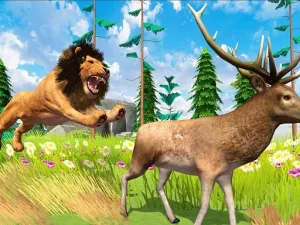
Choose one landmark in the simulation
Lion Family Sim Online places you in a savannah with a lion and a family or territory to develop as you play. Use the opening scene to see what information the game shows about your current goal. Pick one visible landmark and move toward it. Then look back at where you came from. You can use those two points to get to know a small part of the map before travelling much farther.
When the game introduces a new task, check how it shows the destination or your progress. A map can look open even when several activities are available in the same area. Choose the one you can recognise from its prompt and watch what changes after you complete it. You may get a visible result in the scene or a change in the information on screen. Use that change as your guide to what the game expects next.
If you are working on a longer simulation objective, divide it into a small route and a clear return point. Go far enough to recognise a useful feature, then see whether you can find your way back. If you choose another activity later, start from the same area so you can compare where it sends you. A familiar landmark gives a large setting enough structure to learn it a little at a time.
Watch the next safe place in Lion Run 2D
Lion Run 2D uses a moving course with obstacles and gaps to watch. Read the input the game shows and choose an early section you can see clearly. Look past the leading edge of a hazard and find the next clear area. If you jump, watch both where you leave the ground and where the lion comes down. The course can continue bringing new obstacles while you are still concentrating on the one you just passed.
If a run ends at a gap, recall what you saw before reaching it. You may have recognised the obstacle while still watching the end of the previous move. On the next run, look at the route farther ahead after a successful landing. If you already saw the gap early, test a slightly different takeoff point and compare where you land. Those are two separate adjustments, and either one gives you a specific thing to practise.
Use a small section as a goal on a quick visit. Clearing one obstacle with room to spare tells you more about the controls than missing several at full pace. When an early section feels familiar, let your eyes travel to the next visible surface sooner. You can build a longer run by adding one readable section at a time.
Pick a pace that gives you time to see the result
Choose the simulation if you would like to explore a place and decide which activity to follow. Try the runner if you want to learn a course by making several short attempts. Explore the Adventure category for other games where the setting influences what you do next.
Check the prompts on your device before settling in. Even when two games use the same animal as a character, one can need longer movement inputs while another responds to short taps. Try one movement and identify its result. That first observation helps you choose whether to keep exploring or aim for another quick run.