


Balance, Routes and Working Space: A Browser Game Guide
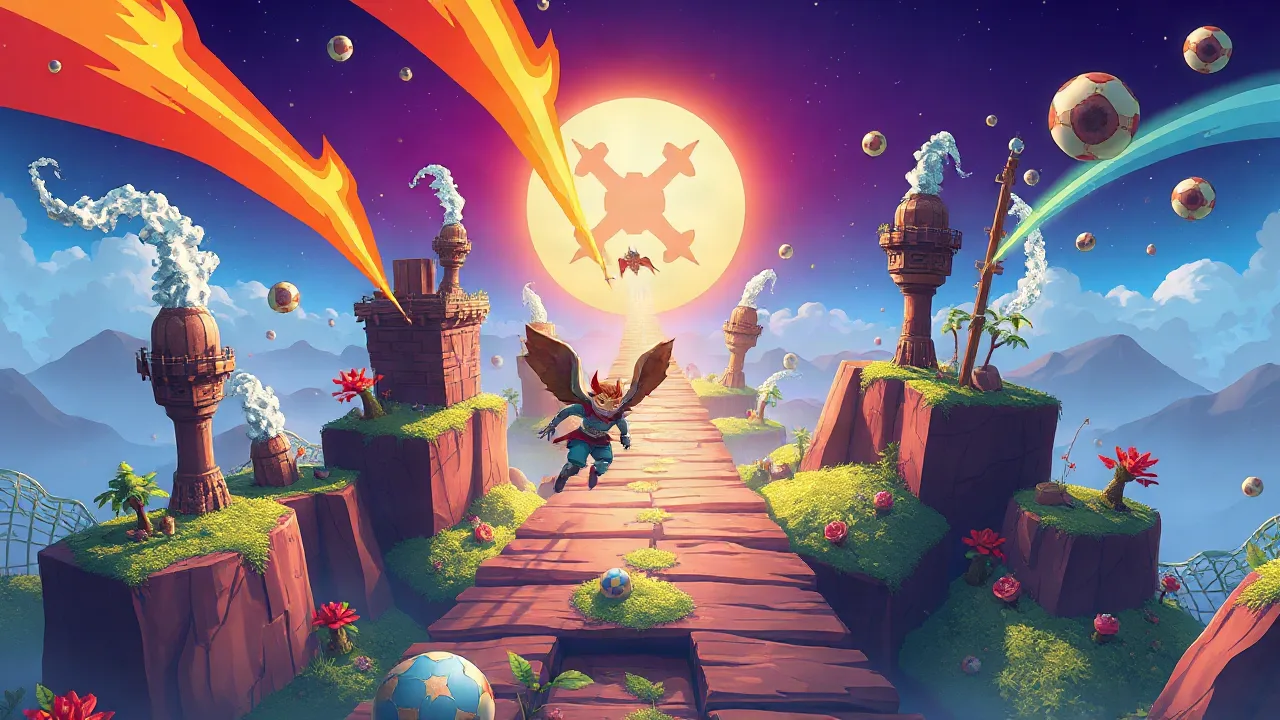
The phrase crazy games online game leads to a collection of different activities, rather than one adventure with a shared set of rules. That distinction matters before you choose a card. A weight puzzle asks you to understand an arrangement; a runner asks you to notice an opening while moving; a card game asks you to preserve useful options. Picking a suitable activity begins with recognising the kind of decision you want to make, then checking the instructions of the particular game you open.
This guide explains how to make that choice without relying on promises about universal controls, multiplayer features or progress systems. It also gives you a practical way to learn an unfamiliar game: identify its immediate objective, test the smallest useful action and evaluate what changed. The aim is to help you understand a session, not to rush through as many titles as possible.
A collection name does not describe every game inside it
A broad label can bring together games with very different structures. The associated collection includes Weight Adjust Game and Gate Rusher 2, alongside cards for activities such as painting, finding objects, sport and vehicle simulation. Those examples do not share a single campaign or one set of controls. Treat the collection as a place to find a game, then use the selected game's own page and opening instructions to understand what it offers.
Be particularly careful with words such as online, adventure and simulator. An online label does not establish that you will meet other players. A vehicle picture does not establish that there is a race. A colourful character does not establish a story, a level editor or a system of achievements. Look for the actual objective and visible mode choices before building a plan around any of those possibilities.
Start with a simple question: do you want time to inspect a problem, or do you want to make decisions while something moves? That first choice is more useful than comparing unrelated scores. You can narrow the selection further once you know whether the activity depends on arranging objects, recognising a route or responding to an immediate cue.
Read a puzzle before trying to solve it quickly
Weight Adjust Game provides a useful example of an arrangement problem. Its focus is balancing weights across puzzle levels. Before changing several things, identify the visible balance and the adjustment the interface allows. Make one change and watch its effect. A small test can show whether you understood the control, whereas several rapid changes may leave you unsure which action caused the result.
Describe the result in concrete terms. Did the arrangement move closer to the displayed objective, further away, or into a state you cannot yet interpret? If the change was helpful, consider whether repeating it would continue to help. If it was unhelpful, return to the decision that produced it and try a different adjustment. This is observation and comparison, rather than a claim that every puzzle follows the same mathematical formula.
Do not assume that a game permits unlimited retries or has a particular undo command. Use the options shown in the current version. When a restart is available, it can be useful for comparing two approaches from the same starting position. When you cannot restore the position, make your next test smaller so that you learn without changing everything at once.
In a runner, identify the next decision early
Gate Rusher 2 changes the pace: it is a forward-moving runner involving gates, obstacles and a finish. You cannot approach every moment as if the scene will wait while you inspect it. Notice the next opening early enough to choose your movement, rather than looking only at the obstacle immediately beside your character. Earlier recognition gives you more time to decide what the following input should accomplish.
Separate a recognition mistake from an input mistake. In the first case, you did not identify the relevant gate or obstacle soon enough. In the second, you saw the choice but the movement did not produce the intended result. The first calls for changing where you look; the second calls for learning the control's response. Repeating the same motion without making that distinction can conceal the reason an attempt went wrong.
A useful practice target is a section or decision, rather than an unspecified demand to do better. Try to recognise one opening before you reach it, then see whether that changes the outcome. If it does, repeat the approach until you can explain why it helped. If it does not, reassess the cue rather than assuming that faster or larger movements must be the answer.
Use a card puzzle to practise preserving options
For a different kind of planning, Freecell Solitaire makes working space part of the problem. The ConteZero version on the site builds four suit foundations from ace to king. Tableau sequences descend in alternating colours, and a free cell holds one temporary card. An exposed card can occupy an empty tableau column. These are rules of this version, not promises about every game carrying a similar name.
Before moving a card into a free cell, ask what that move releases and where the parked card might go later. An immediate legal move can still use space you will need for a more important rearrangement. Search for ordinary tableau placements first, particularly when they preserve empty cells. The question is not simply whether a move is allowed, but whether it leaves a useful next step.
When a proposed group transfer is refused, inspect the sequence and the temporary space available. Think through how the transfer would work as individual legal moves. That exposes the point where the plan runs out of room. It is more informative than repeating the same drag and expecting the rules to change. Follow the displayed interface for available help or recovery controls; do not depend on a shortcut from a different card-game edition.
Learn controls without inventing a universal control scheme
Browser games can use keyboard inputs, mouse buttons, touch gestures or a combination. A control that feels natural in one title may have another meaning in the next. Read the selected game's instructions and inspect its starting screen before committing to a demanding attempt. If you are using a keyboard, first make sure the game area has focus so that your input reaches the intended surface.
Choose a small, observable test. In an arrangement puzzle, change one object or value. In a movement game, make a brief directional input and observe the response when it is safe to do so. The purpose is to connect an action to its effect. You do not need to press every button at once or assume that a larger gesture gives better control.
Device suitability also belongs to the individual game. The presence of a page on a phone does not by itself establish comfortable touch controls or identical performance to a desktop. Look for the inputs the current version supplies and keep the play area visible. If the available controls do not suit your device, choosing another activity is more practical than forcing an unfamiliar workaround.
Make a short session produce a useful observation
Before starting, set a goal you can evaluate. In Weight Adjust Game, you might try to explain the effect of one adjustment. In Gate Rusher 2, you might focus on recognising the next gate. In Freecell, you might work toward releasing a blocked card while keeping a cell available. Each goal describes a decision rather than a score you have no plan to improve.
After an attempt, identify one point where your expectation and the result differed. Perhaps a control moved more than expected, a route choice arrived too late or a parked card blocked the next transfer. Keep the observation specific enough to guide another attempt. You can then change one part of the plan and compare the result instead of replacing the whole approach after every setback.
Short sessions do not need to become a streak or a daily obligation. Stop when you have learned what you wanted to understand, or when the activity no longer suits your attention. The collection provides alternatives with different demands. Switching from a moving challenge to an inspectable puzzle is a change of task, not evidence that you failed at playing correctly.
Distinguish game behaviour from a loading problem
When the screen does not respond as expected, first check whether the game has finished loading and whether an opening panel still needs attention. Read visible messages before refreshing. A loading delay, a blocked input and a failed attempt are different situations. Repeatedly restarting the page without distinguishing them can erase the evidence that would explain what happened.
Use modest troubleshooting steps tied to what you can observe. Confirm that the game area is visible, select it if focus appears to be missing and check the instructions for the current device. Do not enter account details into unfamiliar prompts or install a program merely because a page seems slow. A browser title should be evaluated through its actual interface, not through a guessed promise of compatibility.
Choose your next activity from what you enjoyed
When you return to the CrazyGamesOnline homepage, use the decision you enjoyed as your starting point. If comparing arrangements held your attention, look for another puzzle and read its rules. If early route recognition was satisfying, inspect another movement-based game. If temporary storage made an interesting challenge, compare a card puzzle carefully instead of assuming that its rules match Freecell.
The most useful result of a session is being able to explain the selected game more clearly: what you were trying to do, which input mattered and what changed after your decision. That understanding helps you choose another activity and recognise which skills carry across. Keep the individual game's rules in charge, and let the collection help you explore without turning different games into one imaginary universal experience.