




















What slowroads.io unblocked Delivers Right Now
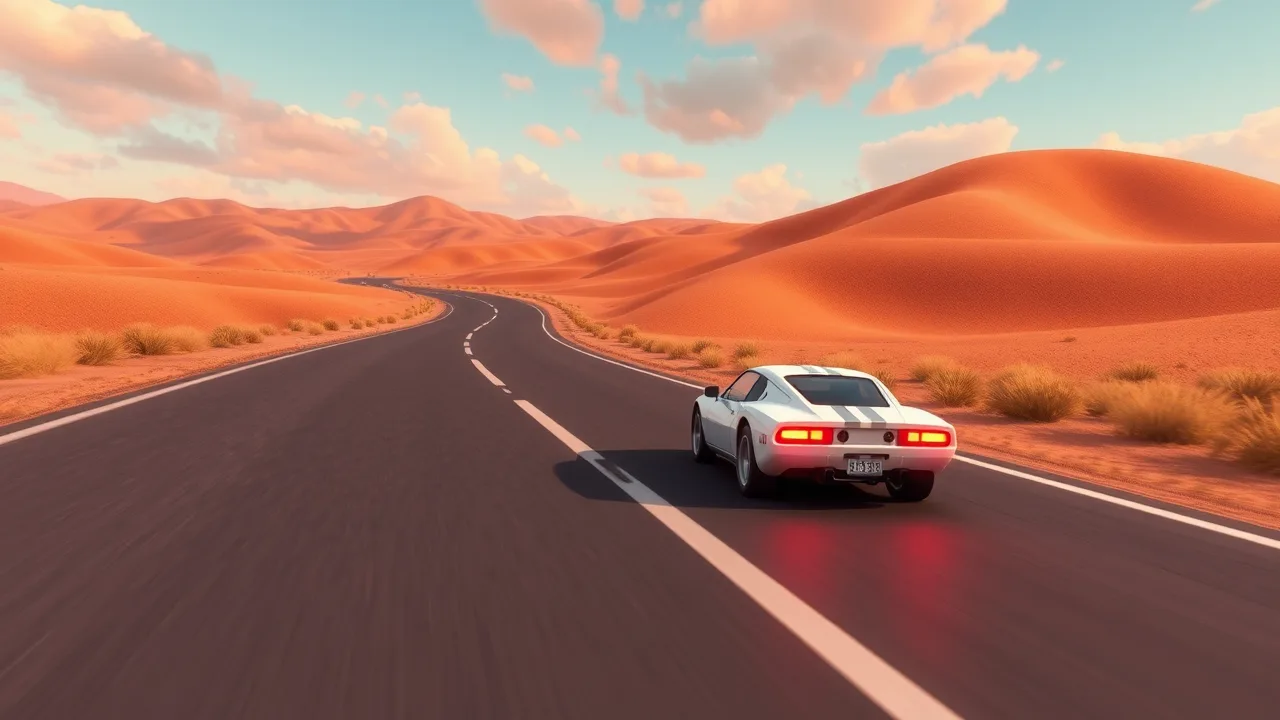
If your brain’s cooked and you just want clean vibes, this is it. slowroads.io unblocked is a chill, browser-based driving sandbox where the “win state” is you not stressing out. You spawn on a ribbon of asphalt that never ends, vibe through rolling hills and moody skies, and tweak weather, seasons, and roads until the scene hits just right. No installs, no accounts, just you, the horizon, and a car that wants to cruise. The original web version is built to run in your browser with WebGL and a 3D library stack like Three.js, which is exactly why it feels native on modern Chrome or Firefox without extra plugins.
If you want a fast, trustworthy play page with a single click and zero fluff, use this link once and you’re in: Slow Roads.
The concept isn’t “new car smell” anymore, but it’s still evolving. The project’s creator, known as Anslo, has kept pushing the look and feel, with later updates moving to a refreshed engine and shaders while staying true to the “just drive” philosophy. There’s even a Steam page now for folks who want a native build while the browser version keeps doing its thing.
🧭 How to Access slowroads.io unblocked Safely
School or work networks can be quirky, so here’s the smart play:
-
Stick to one clean page. Direct-to-game pages load more reliably than hub homepages behind filters.
-
Use a modern browser. Update Chrome, Edge, or Firefox so WebGL behaves.
-
Extensions off. Some ad/script blockers break canvas rendering; whitelist the page if the screen stays black.
-
Headphones on. Audio is part of the vibe; don’t get roasted by your class or coworkers.
-
Windowed mode first. If fullscreen stutters, borderless window often feels smoother on managed devices.
If you’re on a potato laptop, don’t panic. Dropping post-processing and capping the frame rate will often turn a choppy ride into a steady cruise. The whole thing is intentionally lightweight because it’s designed for the browser, not a monster rig.
⚙️ Controls, Settings, and Performance for slowroads.io unblocked
You can run the road with keyboard out of the box, or plug in a controller for smoother analog steering:
-
Keyboard: WASD or arrows to steer and accelerate. Taps beat holds for tight turns on most presets.
-
Controller: Analog throttle and steering feel great here if you have a pad lying around.
-
Sensitivity: Bump steering sensitivity a tick, lower motion blur if present, and keep camera a touch higher for better road read.
-
Stability tips: Close your tab zoo, pause cloud backups, and keep the game tab in focus so the browser doesn’t throttle it in the background.
Players in the community routinely recommend controller input plus higher steering sensitivity for a more responsive feel, with traction tweaks depending on terrain and how slidey you want the car. Try a few presets, then lock your favorite combo.
Under the hood, what you’re experiencing is a GPU-accelerated WebGL scene rendered in real time through a high-level library like Three.js. Translation for non-graphics nerds: it’s fast, portable, and happy in your browser without weird plugins.
🌄 Why Procedural Worlds Matter in slowroads.io unblocked
The secret sauce is procedural generation. Instead of hand-placing every tree and ridge, the world is built by algorithms on the fly, which is why the road can keep stretching past the horizon without a hard “end of map.” This technique has a long history in games and graphics, letting small teams deliver huge spaces and tons of variety. If you want the formal definition with examples, skim Wikipedia’s clear take on procedural generation; it nails how algorithmic content keeps things fresh across runs.
Why it slaps here:
-
Infinite replay. No two drives feel identical, even when you set the same weather and time of day.
-
Slim footprint. You’re streaming math, not gigs of textures.
-
Mood control. Because the world is generated, toggles for fog, rain, season, and road style can be granular without bloating downloads.
That design aligns with the creator’s stated goal since launch: a low-stress, scenic drive that lives in your browser and gives you agency over the vibe.
🎯 Progression Ideas for slowroads.io unblocked
There’s no XP bar here, so you’ll want micro-challenges to keep sessions spicy. Steal these:
-
Five-photo challenge. Every five minutes, stop on a vista and capture a screenshot that tells a story: dawn mist, rain streaks, desert glare.
-
Fuel-free rally. Set harder steering sensitivity, crank weather to storm, and keep the car on asphalt for ten uninterrupted minutes.
-
No-HUD cruise. If there’s a minimal HUD option, use it. The less UI, the more your eyes stay on curvature and camber.
-
Sunset chase. Lock the clock near golden hour and follow the light until the sky flips to twilight.
-
Rules of three. Three overtakes, three clean drifts, three perfect apexes. Bank them within one continuous run.
To keep sessions social at school or in a break room, pass the keyboard every five minutes. Winner is whoever nails the best screenshot or longest no-offroad streak. Low stakes, high laughs, zero toxicity.
🧪 Troubleshooting Guide for slowroads.io unblocked
Black canvas at load
-
Toggle hardware acceleration in browser settings.
-
Whitelist the site in your ad/script blocker.
-
If you’re on an ancient iGPU, lower resolution and effects first.
Micro-stutters every 10–20 seconds
-
Kill background syncs or streaming tabs.
-
Keep the game tab active to avoid throttling.
-
Try borderless window instead of fullscreen to play nicer with the compositor.
Inputs feel laggy
-
Drop post-processing, cap FPS to a stable number, prefer controller for analog steering.
-
Close Bluetooth junk you’re not using to reduce input jitter.
School filter blocks the hub
-
Use a direct play page with a single clean path instead of bouncing through menus. The fewer redirects, the better.
I want a native feel
-
If a school PC is underpowered or your home rig is stacked, the project also lists a Steam entry for a fuller install experience while the browser version stays your quick-launch.
Behind the scenes, the reason these fixes work is because the game’s a WebGL application: the browser schedules the GPU work. Keeping the tab focused and the render pipeline simple gives the GPU fewer excuses to choke mid-corner.
🧠 Playstyle Habits That Make Every Drive Cleaner
-
Tap steering. Rapid taps beat hard holds on keyboards. It tracks camber better and avoids tank-slapper oscillation.
-
Look through the turn. Aim your eyes at corner exit, not the center line.
-
Brake straight. If you need to shed speed, do it before turn-in, not mid-apex.
-
Use audio cues. Tires and engine note tell you when grip is fading long before the car snaps.
-
Treat weather with respect. Rain plus high sensitivity is drift school; tune accordingly.
🧑💻 For Tinkerers: Why the Tech Feels So Smooth
The original project pitched itself as a JavaScript experiment turned “chill driving” experience. That decision matters because it set the tone: minimal UI, generous camera work, and settings that actually change feel, not just color. The later “2.0” community demos highlight the same design with a modernized renderer and shader pipeline, which explains the glow-up people noticed without losing the meditative core.
🧩 Classroom-Friendly Etiquette
Unblocked doesn’t mean unhinged. Keep it respectful.
-
Tap in during downtime; tap out when the bell rings.
-
Keep sound low. Vibes are not an excuse to be a walking speaker.
-
Don’t go link-hopping to sketchy mirrors. One clean page is safer for you and the network admin.
❓ FAQ about slowroads.io unblocked
Q: What is the point if there’s no scoreboard or racing AI?
A: The point is flow. You set conditions, pick a road style, and chase your best drive. It’s a mental cooldown that still rewards precision and rhythm.
Q: Does it actually run on school laptops?
A: Often yes. Because it’s a WebGL browser app, it leans on the GPU you already have and streams procedural content instead of big downloads. Keep your browser updated and close extra tabs for best results.
Q: Can I use a controller?
A: Yep. Browser gamepad APIs are widely supported now. Many players prefer analog input for smoother micro-corrections.
Q: Is there a non-browser version?
A: There’s a Steam page if you want a native route at home while the browser version remains the quick-play choice.
Q: Why does the world feel “different” every time I restart?
A: That’s procedural generation at work. Algorithms assemble terrain and routes on the fly, which keeps scenery fresh without massive downloads. Read a simple primer here if you’re curious: the Wikipedia article on procedural generation.
Q: Any quick challenges to keep it interesting?
A: Try a five-minute no-offroad run, a storm-only session, or a sunset screenshot contest with friends. Your rules, your road.