




















Stacky Bird guide for quick unblocked play
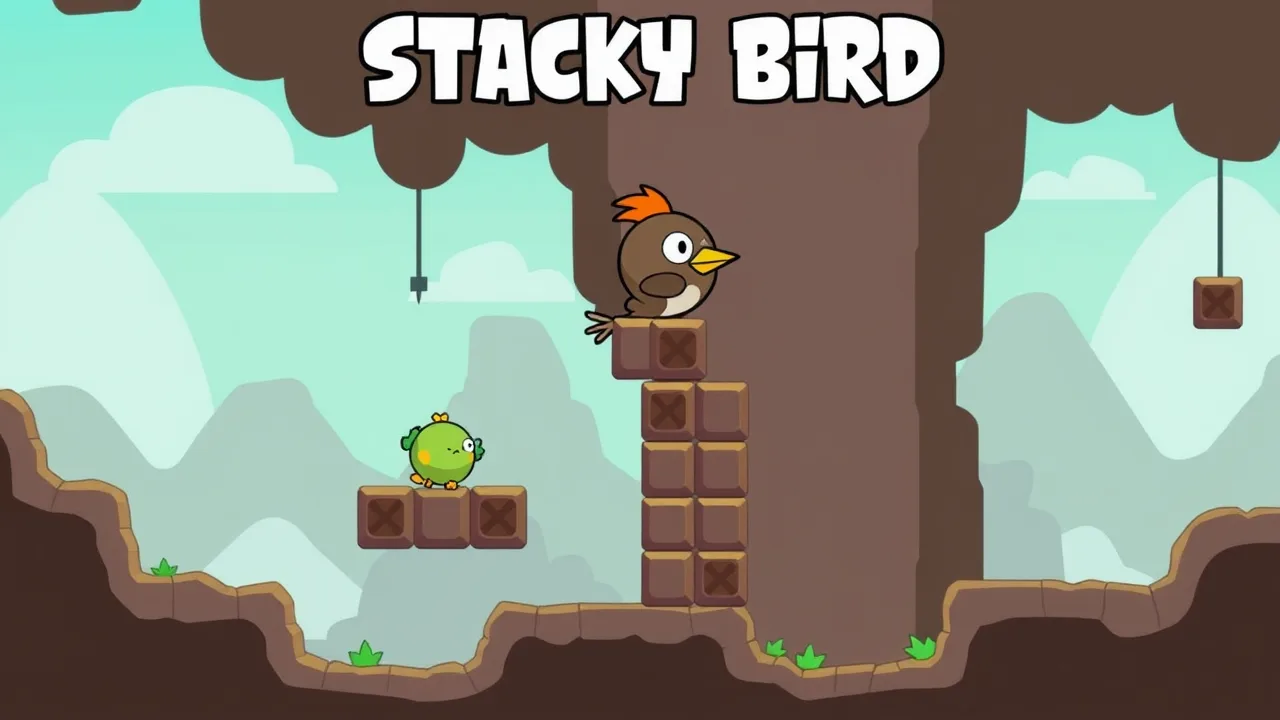
If you love fast, skill-based arcade loops, Stacky Bird is your jam. It blends simple one-tap timing with a cute stack-and-dash twist so you can sneak past spikes and weird doorways without rage quitting. You can jump in right now on Stacky Bird and start stacking blocks to glide over traps. The core feel takes cues from classic tap-to-flap arcade hits like Flappy Bird, but the stacking mechanic adds control and strategy instead of pure chaos. Keep your run clean, collect eggs, unlock skins, and you’ll quickly see why this little birb lives rent-free in so many browsers.
🕹️ Play Free Stacky Bird Anywhere Unblocked
Want instant runs with zero hoops to jump through? Stacky Bird loads fast in a regular browser tab and plays smoothly on school laptops, older PCs, and Chromebooks. No launcher. No logins. No stress. The loop is clean. Tap to build a tidy stack, slide through doorways, hop tricky gaps, and time short bursts of flaps to avoid spikes. Because Stacky Bird is compact, it behaves nicely on shared networks and public machines. Pro tip: toggle hardware acceleration in your browser if frames look choppy. Mouse or touch input both feel snappy, so you can warm up between classes or during a short break. Keep early runs short, focus on consistent stacks, then push distance once your timing locks in.
🎨 Stacky Bird Customization Features
Customization in Stacky Bird is low friction and satisfying. As you rack up distance and collect eggs, you unlock quirky skins that change the vibe without touching the physics. Think seasonal outfits, bright colorways, or chill bird designs that keep sessions fresh. Cosmetics are readable on small screens, which matters when you’re dodging hazards at speed. You can swap looks between attempts, so style your bird to match your mood. Tips: chase easy challenges first to snowball unlocks, then save rarer cosmetics as long-term goals to keep your motivation humming. If you share a device, pick high-contrast skins to maintain visibility in bright rooms. None of these tweaks gate power. It’s purely expression, which keeps the playing field fair while giving you that little dopamine hit for finishing a grind.
🚀 Stacky Bird Early Game Gameplay
Early game in Stacky Bird is all about rhythm and restraint. Start by under-stacking rather than over-stacking. Two to three blocks clear most early doorways with room for micro-adjustments. Keep taps gentle and spaced. The physics reward tiny corrections more than big saves. Watch the next obstacle as soon as you pass the current one so you’re building a stack for what’s coming, not what just happened. If you clip spikes, take a second to reset your tempo before the next sprint. Go for clean sequences of five safe gates before attempting any flashy maneuvers. Track your personal best and aim to beat it by just a small margin each session. Consistent micro-wins build better muscle memory than swinging for giant hero runs.
⚡ About Stacky Bird Power Ups
Power ups in Stacky Bird show up as short, situational boosts rather than game-breaking crutches. You’ll meet pickups that tighten control, soften collisions, or add a momentary buffer when a door snipes your timing. Treat them as safety nets, not licenses to overextend. The best use case is chaining a power up through an awkward doorway, then immediately returning to normal rhythm. If you find a shield-style pickup, use the “confidence window” to reset your stack height to a safer baseline. Don’t burn a boost on an easy gate. Save it for back-to-back tight gaps or when spikes sit right after a doorway. Most importantly, practice the same section both with and without the perk so your fundamentals don’t become dependent on lucky spawns.
🧭 How to Play Stacky Bird Casual
Casual mode is perfect for quick brain breaks. Aim for three-to-five minute sessions, not marathons. Start with a conservative stack policy: if you’re unsure, add one more block before a doorway, then trim on the exit. Use landmarks like background props to time taps. After each fail, name the cause in your head: stack too tall, stack too short, late flap, early flap. That tiny post-round review fixes patterns fast without turning chill sessions into homework. Rotate a few skin choices to keep the vibe fresh and prevent autopilot. If friends are watching, set mini-challenges like “clean ten doors” or “no spike touches” instead of only chasing distance. You’ll play looser, make fewer panic taps, and ironically set better personal bests.
🎥 Camera Controls Stacky Bird
Camera feel in Stacky Bird is intentionally simple, which helps on smaller screens. What you can control is how you frame your attention. Keep your eyes one door ahead and use peripheral vision for your current stack. If your monitor supports it, zoom the page slightly to make obstacles more readable without blurring edges. On touch devices, hold the phone steady at eye level to reduce accidental extra taps. On laptops, try trackpad taps for feather-light inputs and switch to mouse only if you need more deliberate clicks. If your browser allows page-level zoom per site, store a comfortable zoom preset so you don’t fiddle each session. Lastly, avoid windowed tiny panes. Give the game a clean, centered tab so your focus and timing stay locked.
⚙️ Lag Fix Tips for Stacky Bird
If Stacky Bird stutters, start with the basics. Close extra tabs, especially video or cloud editors. In Chrome or Edge, toggle hardware acceleration and pick the smoother result. Switch power mode to performance on Windows or plug in a low battery laptop. Clear browsing data for cached files if things feel oddly sticky. On school networks, sit closer to the access point or use a wired connection if available. Keep your browser current. Disable heavy extensions like ad-blockers or script tools for the game tab only, then re-enable later. If frame pacing still feels off, try another browser engine. Chromium builds run great, but Firefox can be surprisingly smooth on older machines. Measure success by door consistency rather than raw FPS. Smooth inputs beat high but unstable frames.
🗺️ Maps And Modes FAQ
Do layouts repeat in Stacky Bird? Yes, patterns recur so you can study them, but spacing varies enough to test timing.
Is there an endless mode? The experience plays like an endless runner, letting you push distance without hard stage breaks.
Are there event maps? Occasional seasonal visuals and small twists keep runs lively without changing the core physics.
Can I practice a specific section? Not as isolated levels, so practice by pacing your taps and resetting quickly after fails.
Does difficulty scale? Slightly. As you settle into rhythm, tighter doorways and spike combos appear to challenge consistency.
🆕 Stacky Bird New Season Start
Season refreshes breathe new life into Stacky Bird with fresh cosmetics and subtle remixing of obstacle pacing. Treat season day one as a lab. Spend the first half hour scouting changes rather than hard-pushing a leaderboard climb. Note any doorway widths that appear more frequently and adjust your default stack height. Seasonal eggs or challenges are clutch for unlocking a couple of early skins, which keeps motivation high over the next weeks. If a color theme lands that hurts readability on your screen, swap to a high-contrast skin to counter it. Make a tiny goals list for the season: one PB target, one cosmetic unlock, one consistency metric like “ten perfect doors in a row.” Keep it simple and achievable to avoid burnout.
🧰 Troubleshooting Quick Fixes
Bird not responding like it used to? First, refresh the tab to clear minor input hiccups. If clicks double-trigger, lower your tap speed and verify your mouse or touch surface isn’t bouncing. Audio missing? Check the site mute icon in your browser tab. Visual tearing? Toggle hardware acceleration and restart the browser. If your save cosmetics look gone, ensure you’re using the same browser profile and that cookies are enabled. Weird scaling after a zoom? Reset page zoom to 100 percent, reload, then dial in a comfortable level again. If performance tanks after hours of play, a quick browser restart often restores smoothness. And when all else fails, switch devices. Stacky Bird is light enough that moving from an overworked laptop to a phone can instantly fix jank.