




















Escape the Cell: Master Your Strategy in Dig Out of Prison Unblocked
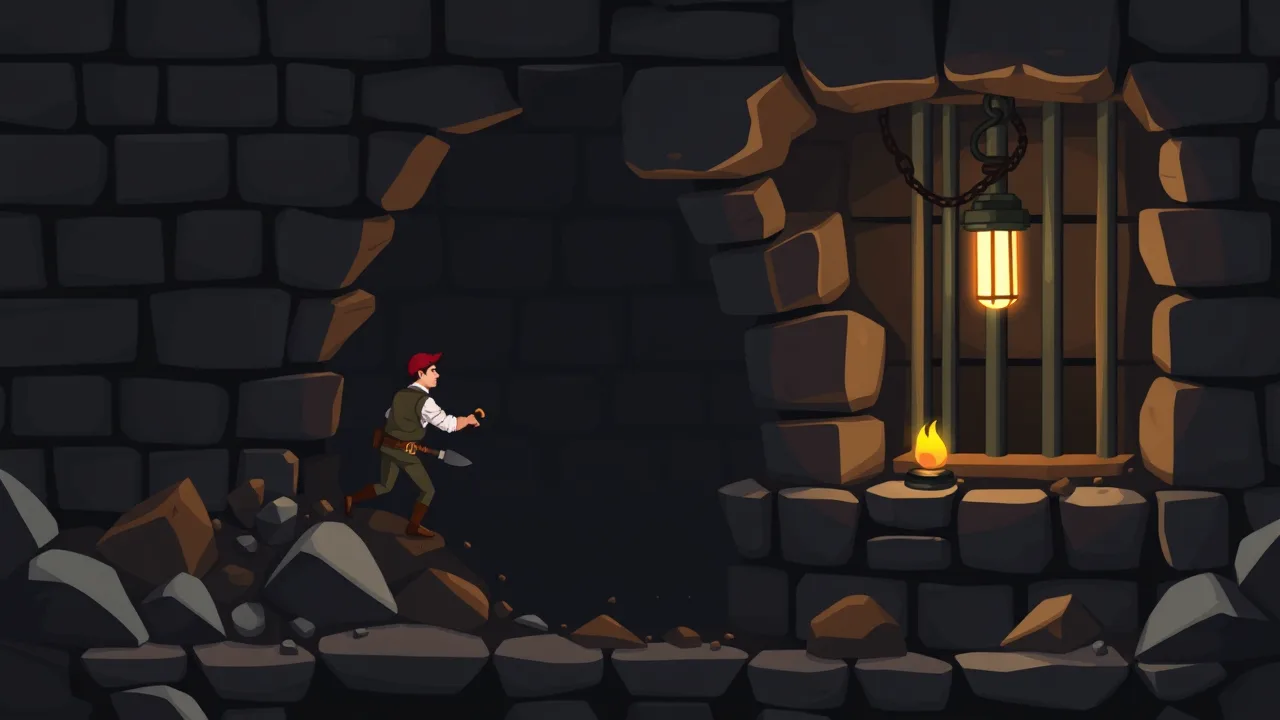
Breaking free isn't just about strength; it is about outsmarting the system one layer of dirt at a time. If you are looking for a way to test your logic and reflexes without restrictions, you can find the full experience at https://www.crazygamesonline.com/game/dig-out-of-prison. This title belongs to the broader genre of escape games, where players must navigate confined spaces and solve environmental puzzles to regain their freedom. In this specific challenge, you guide a determined inmate through underground tunnels, avoiding traps and guards while collecting treasures. The physics based mechanics mean every swipe of the shovel matters, and a single wrong move could leave you trapped under falling debris or caught by the ever watchful security cameras. It is a high stakes race to the surface that rewards patience and careful planning.
Dig Out Of Prison Unblocked Free On Any Device
The beauty of this title lies in its total accessibility. Whether you are using a dated Chromebook in a library or a high-end smartphone on your lunch break, you can jump into the action instantly. Because it is optimized for browsers, there is zero friction between wanting to play and actually digging. You won’t need to worry about hardware limitations because the lightweight code ensures smooth frame rates on almost any silicon. Many players prefer this version because it bypasses the common network filters found in restrictive environments, making it the perfect companion for a quick mental break. The responsive touch and mouse controls feel tactile, giving you direct influence over the soil as you carve out a path to the outside world.
Dig Out Of Prison Unblocked Features Summary
This game stands out due to its escalating complexity and rewarding progression system. You start with basic tunnels, but quickly encounter reinforced walls, explosive barrels, and moving obstacles that require precise timing. The visual style is crisp and colorful, providing a nice contrast to the gritty theme of a jailbreak. One of the most satisfying elements is the collection of skins and upgrades; as you hoard gold during your descent, you can customize your character to reflect your playstyle. The level design follows a "easy to learn, hard to master" philosophy, ensuring that even seasoned puzzle fans find the later stages genuinely taxing. Every floor acts as a mini-sandbox where the solution isn't always a straight line, encouraging creative digging.
Solo Gameplay Dig Out Of Prison Unblocked
Playing alone allows you to focus entirely on the spatial puzzles without the distraction of a ticking lobby clock. The solo experience is meditative yet intense, as you calculate the trajectory of falling rocks to crush guards without blocking your own exit path. You are the architect of your own escape. Each level presents a unique layout that tests your ability to think three steps ahead. Sometimes the best route isn't the most obvious one; you might need to dig a long detour to snag a hidden key or a pile of gems. The lack of a multiplayer component means the developers poured all their effort into the AI and physics, resulting in a polished, reliable single-player campaign that feels fair but challenging.
About Dig Out Of Prison Unblocked Tips
If you want to reach the final levels, you need to treat the environment like a tool. Don't just dig downward as fast as possible. Instead, look for ways to use the terrain against the prison staff. If you see a heavy boulder perched precariously above a guard's patrol route, clearing the dirt underneath it is often safer than trying to sneak past. Also, keep an eye on your oxygen or health meters depending on the specific level variant, as staying underground too long can be just as dangerous as getting caught. Prioritize upgrades that increase your digging speed early on, as this gives you a better margin for error when a security drone starts chasing you through the narrow corridors.
How to Play Dig Out Of Prison Unblocked Quick Start
Starting your escape is incredibly straightforward. Once the game loads in your browser, use your mouse or finger to swipe across the screen in the direction you want to remove dirt. Your character will automatically move into the vacated space. Your primary goal is to reach the exit gate at the bottom of the screen while navigating around solid obstacles that can't be destroyed. Watch out for red zones or laser grids that trigger alarms. If you get stuck, most levels have a quick restart button that lets you try a different approach immediately. It is all about momentum; keep moving, keep digging, and don't let the guards corner you in a dead end of your own making.
Ability and Skill Controls
While the core mechanic is digging, mastering the secondary skills is what separates the novices from the pros. As you progress, you might unlock temporary power-ups like drills or explosives. Using these at the right moment is crucial. For instance, a drill can blast through hardened stone that your regular shovel can't touch, opening up shortcuts. Timing your movement to dodge searchlights requires a steady hand and a good understanding of the guard's movement patterns. There is no complex button mapping to memorize, which allows you to focus purely on the strategy of the escape. The simplicity of the interface hides a deep layer of tactical choice that becomes apparent as the maps grow larger.
Advanced Tricks
One of the best "pro" moves involves "kiting" guards into traps. By digging a specific path, you can lure a guard into a pit or under a falling object, clearing your way forward without needing to hide. Another tip is to always look for the "glimmer" in the walls, which usually indicates hidden treasure or a secret path. Sometimes, leaving a bit of dirt as a shield can protect you from projectiles or lasers. Experimenting with the physics is encouraged; sometimes dropping a crate can trigger a pressure plate that opens a door elsewhere in the level. Understanding how different objects interact with gravity is the key to conquering the most difficult underground labyrinths.
Frequently Asked Questions FAQ
1. Is a download required to play on a computer? No, the game runs entirely within your web browser using HTML5 technology, meaning no installation or plugins are necessary.
2. Can I save my progress between sessions? Yes, most versions use local browser storage to keep track of your unlocked levels and currency as long as you don't clear your cache.
3. What should I do if the game freezes on the loading screen? Try refreshing the page or checking if your browser has an ad-blocker that might be interfering with the game's script execution.
4. Are there any costs associated with the upgrades? Upgrades are purchased using the gold you collect during gameplay. There is no requirement to spend real money to finish the story.
5. Is this version safe to play on public networks? Since it is a browser based title, it is generally safe, but always ensure you are playing on a reputable site like the one linked above.
Today Update
The latest version of the game has introduced several quality of life improvements to make the experience even smoother. Developers have tweaked the physics engine to prevent characters from getting "stuck" in corners, and the collision boxes for gold coins have been slightly enlarged for easier collection. There are also three brand new "Arctic" themed levels featuring slippery ice surfaces that change how you calculate your digging speed. These updates ensure that even if you have beaten the game before, there is a fresh challenge waiting for you. The UI has also been polished to look better on high resolution displays, ensuring the graphics remain sharp and vibrant.
Troubleshooting Quick Fixes
If you experience lag, try closing other open tabs to free up your system's memory. Since this game relies on real-time physics calculations, having too many background processes can slow down the movement. If the controls feel unresponsive, ensure your browser is updated to the latest version. Occasionally, a browser extension might conflict with the game's input; if that happens, try opening the game in an incognito or private window to see if performance improves. Lastly, if the audio is missing, check the in-game settings menu first, as it may have been muted by default during a previous session.