




















cyber cars punk racing free neon racing unblocked
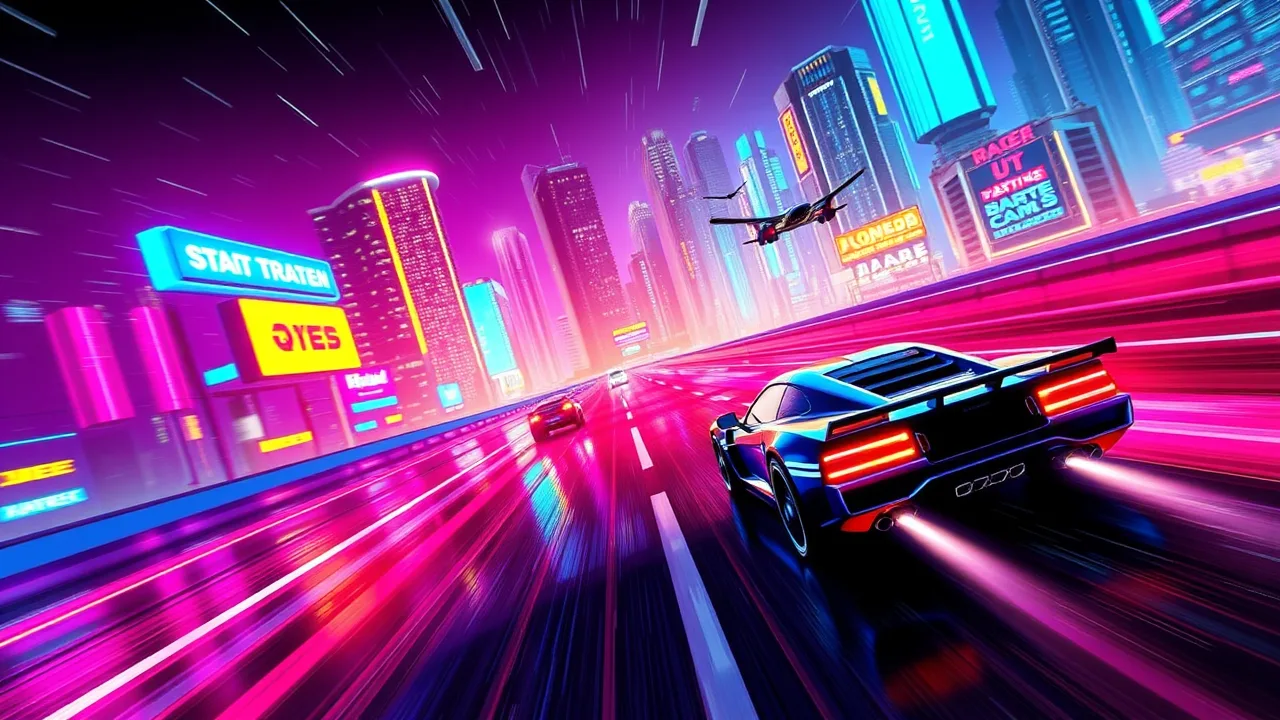
cyber cars punk racing throws you straight into a neon soaked future where speed is everything and brakes are optional. This 3D browser racer drops you in a cyberpunk style city full of glowing highways, looping tracks, and ridiculous jumps. You can dive in solo, race against AI, or sit next to a friend in split screen and see who sends their car off the map first. With multiple modes, vehicle upgrades, and dozens of tracks, it feels way bigger than a “simple web game”. You can launch a race instantly through cyber cars punk racing and start unlocking faster rides in just a few runs. As a futuristic twist on a classic racing game, it mixes arcade handling with enough challenge to keep you grinding for better times.
🚀 cyber cars punk racing Free Unblocked With Fast Load
One of the best things about cyber cars punk racing is how fast you go from clicking play to shredding neon corners. There is no download, no install, and no launcher drama, just a quick load in your browser and you are already choosing your first ride. Because it is built as a WebGL racing game, it runs directly in most modern browsers and still manages to push out flashy lights, long draw distances, and smooth speeds when your connection and hardware behave. For school or work breaks, that “instant boot” feeling really matters. You can sneak in a full race, crash a few times, and still be back in your real life tab before anyone walks past your screen. It is basically plug and play but in cyberpunk car form.
🏁 cyber cars punk racing Features Breakdown
Under the hood, cyber cars punk racing packs way more content than you expect from a browser racer. You get around sixteen different supercars to unlock, from starter machines to full cyber monsters tuned for top speed and insane acceleration. There are roughly sixty racetracks covering tight city sprints, looping highways, and tricky technical layouts that punish bad driving. On top of that you have multiple game areas like Free Ride, Hot Pursuit, and a dedicated battlefield zone where chaos is kind of the whole point. Cash you earn from missions and races feeds into a progression system that lets you buy new cars and upgrade old ones, so every good finish actually pushes your garage forward.
🎮 cyber cars punk racing Gameplay Loop
The basic gameplay loop in cyber cars punk racing is simple but addictive. You jump into a race, push your car hard through neon streets, and try not to bounce off every guardrail in sight. Each run gives you money or rewards depending on your finishing position and the mode you chose. That cash then goes back into buying faster cars or making your current ride grip and boost better, which obviously lets you push for tougher tracks and higher difficulties. As you improve, you naturally move from chill Free Ride cruising to more hectic events where one mistake can send you flying off elevated highways. Lose a race, learn the corners, come back faster. That loop of “race, upgrade, race again” is what quietly keeps you in the game for way longer than planned.
🗺️ About cyber cars punk racing Modes
Modes are where cyber cars punk racing really spreads out. Career style races throw you against AI rivals on a progression of tracks, gradually bumping up the difficulty so you do not get comfy. Free Ride mode turns the neon city into your playground, letting you drift, jump, and explore without a timer screaming at you. Hot Pursuit style events flip the vibe and put you in intense chase situations where dodging traffic and timing boosts actually matters. The battlefield area feels like pure chaos, with collisions, risky shortcuts, and constant danger around every turn. Add local 2 player support to that mix and suddenly you have couch rivalry, perfect for messing with a friend or sibling on the same keyboard or with split controls.
📘 How to Play cyber cars punk racing Quick Start
Getting started with cyber cars punk racing is easy even if you are not a racing game nerd. First, pick a starter car that looks balanced rather than only chasing top speed. Then choose a basic circuit with clear corners so you can learn how the handling feels. In your first few races, focus on staying on the track instead of driving like a maniac. Tapping the accelerator out of corners is usually better than holding it down and sliding straight into walls. When you finish a race, always check what upgrades you can afford. A small grip or acceleration boost often gives more value than just saving forever for a legendary car. As soon as you feel comfortable, bump the difficulty or jump into a new mode so you do not get stuck farming the same easy race on autopilot.
🕹️ Vehicle Controls cyber cars punk racing
Controls in cyber cars punk racing are designed to feel natural on both keyboard and gamepad. You steer left and right, manage throttle and brake, and use nitro for those moments when you need to rocket past a rival or clear a crazy jump. Camera switching lets you pick a view that works for you, from closer angles that feel intense to more zoomed out views that make it easier to read the track. Because the game lives in the browser, latency is usually low as long as your device is not struggling, so each input instantly flicks the car where you want it. It is got that arcade feel where tiny corrections matter, but it never drowns you in complex button combos or simulator level control schemes. You can hand it to a friend and they will figure it out in one race.
💡 Winning Tips for cyber cars punk racing
If you want to actually win in cyber cars punk racing instead of just vibe in Free Ride, you need a bit of strategy. First, memorize where the track loves to troll you with sudden tight corners or jumps. Taking those safely at medium speed is better than flying off the map and throwing the whole run. Second, use nitro only on straights or safe exits, not in the middle of tricky turns. Third, do not ignore handling upgrades. A slightly slower car that actually grips can beat a rocket that skids everywhere. In battle or pursuit modes, think like a menace: cut off opponents, use their lines against them, and force mistakes. Finally, keep experimenting with cars. Some models secretly fit your playstyle way better than the “obvious” top tier picks.
❓ Gameplay Questions
New players usually ask the same things about cyber cars punk racing. “Is it really free?” Yes, you can load it in your browser and play without paying, which makes it perfect for quick racing sessions when you are bored. “Do I need a high end PC?” Not really, but a half decent device and a stable connection will make the experience much smoother. “Can I play with friends?” Local 2 player modes let you share a device and get that old school split play feeling back. “Is there any point to grinding?” Absolutely. Races and missions feed you currency and rewards that unlock new cars, tracks, and upgrades, so pushing for better finishes is always worth it.
🔄 cyber cars punk racing Update Highlights
cyber cars punk racing has not stayed stuck in its first release. Over time, extra tracks and tuning tweaks have helped the game stay fresh on different platforms and portals. The big sign that it hit well with players is the appearance of a full sequel, Cyber Cars Punk Racing 2, which doubles down on neon city vibes, more missions, and refined visuals. That sequel builds on the same formula of 16 cars and 60 tracks, upgrading the look and feel while keeping the core browser based convenience intact. For you as a player, this basically means the series is alive and you can expect the original cyber cars punk racing to remain available as a fast loading, accessible entry point even as the follow up game pushes things further.
🧰 Troubleshooting Quick Fixes
If cyber cars punk racing gives you trouble, there are a few easy fixes before you rage quit. First, if the game will not load or sits on a black screen, refresh the page and make sure no other heavy tabs are eating your RAM. Switching to a different modern browser can instantly fix weird WebGL issues too. If performance feels choppy, lower your screen resolution in the browser or close background apps, then try again. For input lag or controls not responding, check that you do not have multiple controllers fighting for focus and unplug any gamepads you are not using. Finally, if progress seems stuck, clear your cache only as a last resort, since that can reset local data. Usually, just using the same browser and not nuking cookies keeps your unlocked cars and tracks safe.