


Crane-Truck Tasks: Driving, Camera Views and Container Work
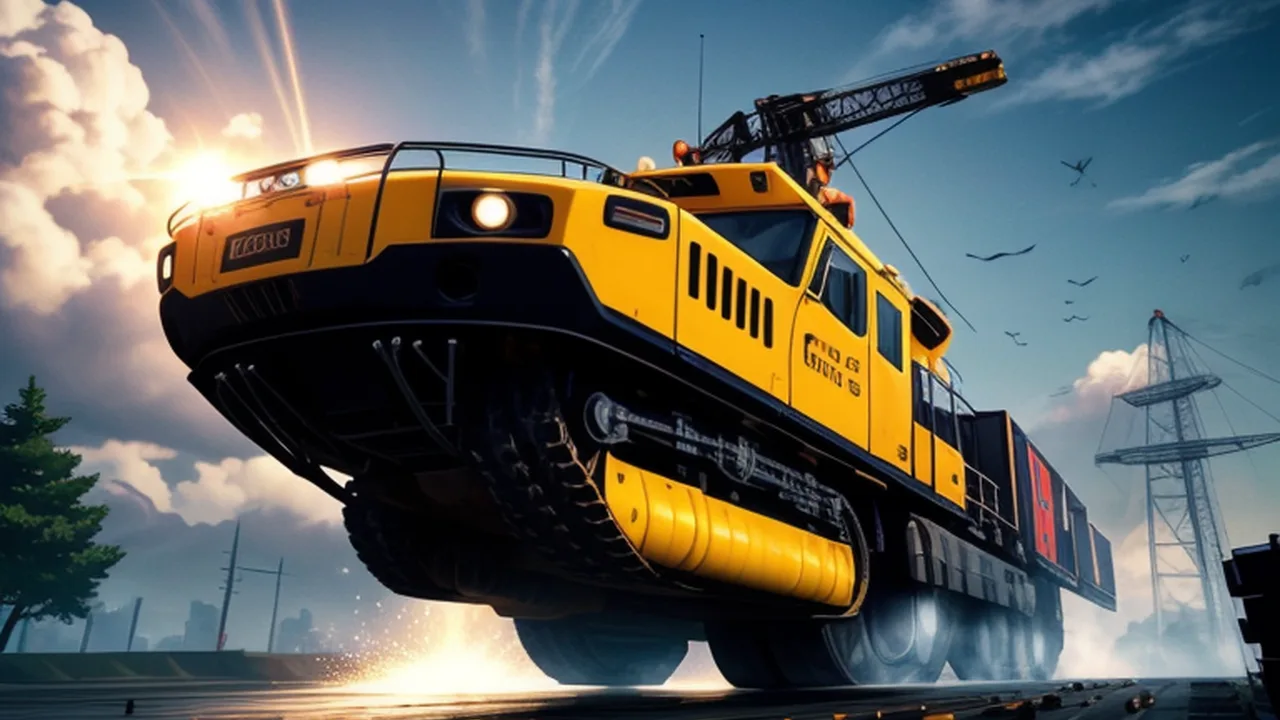
Driving a crane truck to the right place and operating its crane are different parts of a job. A vehicle can be close to a container without being positioned for the next action, and a clear view of the cab may hide the space around the load. Heavy Crane Simulator Online is useful to approach as a sequence of positioning decisions, rather than as a quick game of dropping a hook at exactly the right moment.
The Heavy Crane Simulator collection includes heavy-vehicle games alongside broader simulator titles. This guide concentrates on the specific crane-truck game hosted here and compares its approach with a separate parking challenge, Vehicle Masters. The aim is to help you read the task, distinguish the control groups and make a small correction that addresses the problem you can actually see.
Identify the crane game you have launched
Heavy Crane Simulator Online is published by cargames.com as a three-dimensional truck-driving and parking simulation involving container transport. The publisher describes level missions, on-screen tips and unlockable skins. Those details establish a vehicle-and-task structure. They do not justify assuming that it is a single-button hypercasual hook game, or that every mission uses one identical lifting movement.
Start by reading the current level's instruction and locating the vehicle, the relevant container and any destination or task indicator. Inspect what the game is asking now before deciding which controls to use. A parked vehicle, a loading action and a completed mission are separate states. Looking only for something that resembles a finish line can make you miss the instruction that connects one state to the next.
Keep the control groups distinct
The distributor lists WASD for movement, the arrow keys for crane controls and Q and E for switching views. Check that mapping in the running version before trying a complicated manoeuvre. In particular, an arrow key is not necessarily another way to steer the truck. Treat the crane and the vehicle as different things you can operate, and watch which one responds to a deliberate test.
Test one input at a time while you have room to understand the result. First identify the direction the truck moves, then inspect the crane controls in the context of the current task. Finally compare the available views. Pressing several unfamiliar controls together may produce a visible change, but it leaves you unsure which input caused it and makes the next correction harder to choose.
Read the approach before moving the truck
Look at the space between the vehicle and the place where the next operation must happen. Identify an obstruction, a turn and the direction from which the truck needs to arrive. You are planning for the vehicle's whole path, including the part behind the cab. A front corner clearing a barrier does not establish that the rest of the truck will pass through the same space safely.
Choose an approach that leaves a manageable final adjustment. If you arrive at an awkward angle, you may spend the next minute trying to solve a placement problem that began farther back. Consider whether stopping and changing the approach would give you more room. That is a question to test against the current layout, not a promise that one wide turn works in every mission.
Use the view control to answer a question
Q and E are useful when another view reveals information you need. Before switching, name the question: is the truck aligned with the working area, is an object blocking the next movement or is the load in the place you expected? Then compare the new view with the previous one. Camera changes are easier to use when they serve a specific uncertainty.
A close view can make one relationship easier to judge while hiding another. A broader view may clarify the vehicle's path but make a small placement less obvious. Neither is automatically the best camera for the entire level. Use the perspective that helps with the current decision, and return to another view when the task changes from travelling to operating the crane.
Separate truck placement from crane operation
Once you think the vehicle is in the right area, check the current prompt again. It may be time to operate the crane rather than keep nudging the truck. Confirm which part needs to move, use the relevant controls and observe the result before adding another input. This gives you a sequence you can follow instead of a collection of movements made in the hope that one advances the task.
If the crane action does not produce the expected result, ask whether the vehicle's position supports it. You may need a different view to understand the relationship. Do not assume every unsuccessful attempt means the crane requires faster inputs or a longer button hold. First locate the mismatch between what you intended and what actually moved.
Let the mission prompt define completion
A container appearing close to a destination is an observation, rather than proof that the level is complete. Watch the game's task response and follow any remaining instruction. The mission may involve another part of the transport sequence. Finishing the action you had in mind and finishing the action the game requires are not necessarily the same thing.
If progress appears stalled, return to the visible instruction and inspect the last operation. Ask what changed and what remained unchanged. Perhaps the truck reached the area but the operation has not been performed; perhaps the view obscures the remaining alignment. Keep the diagnosis connected to the current screen. Repeating unrelated controls makes it harder to identify which requirement is still outstanding.
Use a small recovery rather than an unexplained restart
When you have room, try correcting the position that caused trouble before abandoning the attempt. A change of approach or camera can reveal a simpler next action. If a restart is needed, remember the earliest point at which the route became awkward. Starting again is more useful when the new attempt contains a deliberate difference before that point.
For example, if you repeatedly arrive too close to an obstacle to operate comfortably, examine the approach that put you there. Changing the final input alone may preserve the original problem. Alternatively, if travel is straightforward and the confusion begins during crane operation, keep the route familiar while learning that control group. Work on the stage that actually needs attention.
Vehicle Masters isolates a parking problem
Vehicle Masters provides a separate precision-driving alternative. The hosted title screen identifies it as Vehicle Driving Car Master. Its goal is to reach a marked green parking area without hitting obstacles, using a car whose forward and reverse positioning matters. It does not supply the same crane controls or container mission sequence, so read its own instructions before carrying over habits from the truck.
The useful comparison is how you plan a route for a vehicle that cannot simply move sideways. Check the narrow passage, the angle needed at a corner and the space available for the rear of the car. Gear changes and braking belong to that planning. Approaching a marked bay at a controllable angle is a different task from correcting the vehicle only after the front has entered it.
Transfer a habit rather than a control scheme
Both games give you a reason to consider the whole vehicle and the next working space. That habit can transfer even when the buttons do not. In Vehicle Masters, a correction might involve reversing to create turning room. In Heavy Crane Simulator Online, the immediate question might concern the truck's position relative to the next crane operation. Identify which problem you are solving before choosing an action.
Avoid treating every collision or failed mission as evidence that you need a different vehicle. First examine the visible route and the movement that produced the result. The crane game lists unlockable skins, but a visual unlock is not proof of a handling improvement. Read what the game actually says about an option instead of assuming it fixes a positioning mistake.
Match the game to the equipment you have
Before finishing a level session, recall the view that made the difficult alignment clear. Remember what it revealed, such as room behind the truck or the position of a container, rather than only remembering that a camera key helped. That observation gives the next mission a useful starting habit while leaving you free to choose a different view for a different layout.
The crane distributor provides keyboard controls and marks the game as not mobile-ready. A responsive website around the player does not establish that its crane controls can be operated comfortably on a touch screen. Use a suitable keyboard setup for that entry and confirm that the game has focus before testing a command. A missing input and an incorrectly planned manoeuvre are different problems.
For a short session, choose one task to understand: arriving at a better angle, using a different view to check alignment or identifying the transition from driving to crane operation. Keep that target specific enough to recognise during a level. You can then leave with a practical improvement and a clear next question, whether or not you have finished the entire sequence of missions.