SliceItUp
1 plays

SliceItUp
About SliceItUp
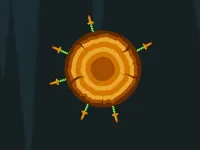
SliceItUp brings colorful arcade energy to your browser with a fresh take on brain teasers. Rotate and fit vibrant slices into slots for a satisfying mental workout. This puzzle game mixes strategy with fast-paced action, offering a challenge that keeps you coming back.
Highlights
The core mechanic lets you rotate slices with your mouse or arrow keys to match slots perfectly. It combines creativity with spatial awareness, making it great for both casual players and puzzle fans. The game’s visual style is bright and lively, though the interface can feel cluttered at times. You’ll unlock higher levels that test your patience and skills, all while enjoying fun slicing sounds. It’s an arcade-inspired slice it all experience that hides neat tricks amid the chaos, offering a surprisingly addictive slice master crazy games style adventure.
Quick Questions
How do I control the slices in SliceItUp?
Use your mouse to click and rotate slices, or press the arrow keys to adjust their position for a precise fit.
What makes SliceItUp different from other puzzle games?
It adds a vibrant arcade twist with fast difficulty jumps and a satisfying slicing mechanic that boosts strategic thinking.
Can beginners enjoy this game?
Yes, the basic rotation and color matching are easy to start, but higher levels offer a real challenge for dedicated players.
Are there any visual issues to watch for?
The bright colors and tiny font can be hard on the eyes, so take breaks during long sessions.
How It Works
Open the game and view the colorful slices. Rotate each piece using your mouse or keyboard arrows, then carefully place it into the matching slot. Start with simple rotations, line up the colors, and aim for a perfect fit. As you progress, levels become more complex, testing your patience and precision. Keep trying even when pieces misalign, and you’ll unlock new challenges that reward persistence and smart planning.
Helpful Advice
Master the rotate and place functions early. Focus on color alignment before moving slices. Use arrow keys for finer control. Don’t rush precision beats speed. Take breaks if the tiny font strains your eyes, and enjoy the satisfying slicing sounds as you improve.