Drawing And Coloring_1
1 plays

Drawing And Coloring_1
About Drawing And Coloring_1
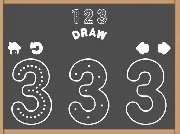
Looking for a chill way to doodle and color without pressure? Drawing And Coloring_1 offers a simple, relaxing experience where you can pick templates and fill them with your own artistic touch. It’s a free way to unwind, though the challenge mostly comes from trying to color inside the lines and match shades smoothly.
Highlights
This game lets you explore a colorful world focused on creativity. It’s a great example of the Puzzles game genre, challenging you to use artistic skills for visual puzzles like matching colors or completing scenes. You select templates, sketch, and color to create your own masterpieces. The vibe is relaxed, with a focus on expression and precision. While it can get frustrating if colors don’t register smoothly, it’s a decent way to waste time if you enjoy drawing games without intense pressure. It suits players who like simple, kids games and a 2d games style for casual fun.
Quick Questions
What is the main goal in Drawing And Coloring_1?
The main goal is to complete scenes or doodle freely by selecting templates and using drawing tools to sketch and color.
How do the drawing tools feel in this game?
Tools behave like real instruments, feeling natural but can be laggy, especially on mobile, which may affect color registration.
Is there a challenge beyond just coloring?
Yes, it involves visual puzzles like matching colors or completing scenes, adding a slight challenge to the relaxing experience.
Can I share my creations after playing?
You can share your work, as the game loop includes clicking, drawing, coloring, and then sharing your masterpieces.
How It Works
To start, select a template from the available options. Use your mouse or finger to sketch outlines and fill in colors with the provided tools. The goal is to complete a scene or create a free doodle. The process is simple: click, draw, color, and share. It’s designed for quick sessions, though color matching might require patience for detailed scenes.
Helpful Advice
Take your time with color selection to avoid mismatches. Use the templates to guide your sketches for better results. If tools feel laggy, try a different device or connection. Focus on expression rather than perfection for a more enjoyable experience.