draw lines.io
3 plays

draw lines.io
About draw lines.io
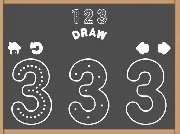
Draw Lines.io is a minimalist puzzle game where you connect scattered dots without letting lines overlap. It runs in any browser and offers a calm, black-and-white challenge that keeps your mind busy. The simple goal is to complete each level by linking all dots with smooth, straight lines.
Highlights
The game stands out for its clean, distraction-free design and straightforward line-drawing mechanics. You play by clicking or tapping, dragging between dots, and releasing to form a line. Levels grow more complex, testing your planning skills as lines can tangle. It is a Puzzles game that works on Android, iPhone, and iPad, and it is built with HTML5 for easy online access. The experience is addictive, offering a quick mental workout with no lag or complicated controls.
Quick Questions
How do I start playing draw lines.io?
You can play draw lines.io online in your browser using a mouse or finger. Just click or tap a dot, drag to another dot, and release to draw a line. The controls are simple and responsive.
What is the main goal in each level?
Your goal is to connect all scattered dots with lines without any overlaps. Each level requires careful planning to avoid getting stuck, and completing every dot pairing lets you advance.
Can I play this game on my phone or tablet?
Yes, the game works on Android, iPhone, and iPad. The touch controls are smooth, making it easy to draw lines with your finger on mobile devices.
Why does the game feel challenging yet calming?
The minimalist black-and-white design removes distractions, focusing your attention on the puzzle. The challenge comes from untangling lines in later levels, but the simple mechanics keep it relaxing.
How It Works
To begin, open the game in your browser and observe the scattered dots. Plan your path by thinking ahead to avoid line overlaps. Click or tap a dot, drag to another dot, and release to draw a horizontal or vertical line. Complete all dot connections to finish the level. If you make a mistake, you can undo and try again. The game progresses by unlocking more complex puzzles that test your logic and patience.
Helpful Advice
Take your time to plan moves before drawing. Start with outer dots to create a frame, then fill in the center. Use the undo feature freely to experiment. Keep your lines straight and avoid crossing to master each level quickly.