A closer look at the block-world option
The Minecraft free game opens a build called Mineworld. Its title screen identifies it as a separate game and explicitly states that it is not Minecraft and is not affiliated with it. The visible version is 1.2. Start with Play to reach world selection, where Flat and Difficulty choices appear beside Create New World. Review those choices before starting your first exploration.
The newly created scene uses a first-person view of terrain, trees and water. A crosshair, a red status bar and block slots help you read the screen. A sword appears in the character's hand, and counters refer to the day and killed zombies. Those visible details establish a block-world experience with a survival theme. They do not establish every crafting recipe, creature or progression system associated with a different game.
Give your first exploration a clear boundary
Start by learning a small area around your arrival point. Pick a recognisable landmark, such as a tree beside water or a distinct change in ground height. Move far enough to understand the nearby layout, then find your way back. A short return trip tells you more about your orientation than wandering until the starting place is lost. Expand the route once the immediate surroundings feel familiar.
Watch the information already on the screen while you explore. Notice which indicators change after an action and which remain steady. If a new setting or unfamiliar control changes the result, compare it in the same small area first. Learning several systems at once makes it harder to tell whether a problem came from the terrain, the selected setup or an input you have not understood.
Know which menu action you intend to use
The Mineworld build identifies Tab as the menu key. Its pause menu includes Back to Game, Reset World, and Save and Quit to Title. Read the action before selecting it. Returning to the current session and resetting a world have different purposes. The presence of a save option does not by itself promise cloud storage, recovery on another device or compatibility with official Minecraft worlds.
World selection initially shows Flat: OFF and Difficulty: Normal. Choose deliberately rather than treating those labels as instructions for every game in this collection. A platform challenge may have no world-selection screen at all. A puzzle may explain its rules through a different interface. Use the menus and prompts of the actual loaded title to decide how to begin, pause and finish.
Compare the activity behind a familiar appearance
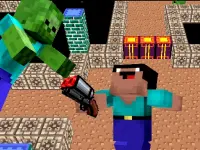
Block-style graphics can support very different goals. In MCraft TNT 2 Player Game, red and blue players race to collect flying TNT and deliver it to their own chests. The first player to reach twenty wins. That pickup-and-return contest asks you to judge routes under competition, whereas Mineworld starts with a world to explore. Decide whether you want an open-ended visit or a clearly measured round.
The browser block-game guide provides another comparison before you choose. Check individual descriptions for control details and device requirements. Neither a Minecraft-themed name nor a browser listing guarantees official servers, transferable accounts, mods or multiplayer. Pick the experience whose stated objective fits your session, allow it to load, and learn its own rules before applying expectations from a different block game.